
Matching tattoos
Matching Tattoo Stencils for Two Different-Sized Wrists or Arms
Direct answer
Matching tattoo stencils should keep the same design and proportions, not always the same centimeters: decide first whether the size or the proportion to each body stays identical, then print each person's stencil at a typed width or height in cm or inches rather than scaling by eye. A design that fills 70% of a 5.5 cm wrist is 3.9 cm wide; on a 7 cm wrist the same ratio is 4.9 cm. Hold line weight constant across both sizes, and flip one copy only when the pair is meant to face each other. InkLine prints each size as a typed dimension and has a print-screen flip for the mirrored copy.
Photo to stencil, on an example


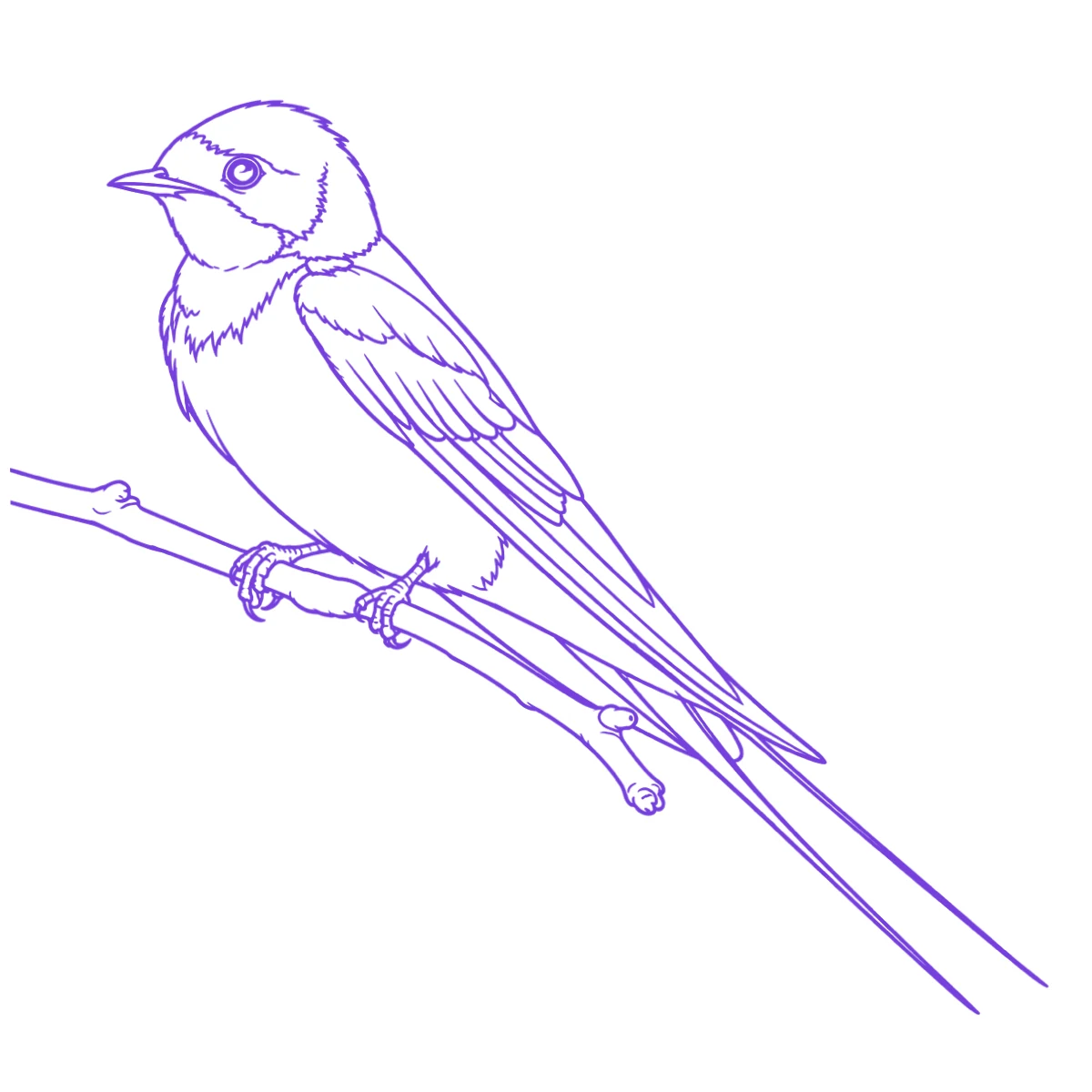
The reference photo and this stencil are AI-generated examples made for this library — not a client photo, and not InkLine output.
Two people want the same tattoo. One has a narrow wrist, the other a broad forearm, and both want it to feel like a pair. The common mistake is to print one stencil, decide by eye that it looks fine on both, and transfer it twice. The result is a set where one piece looks oversized and wraps around the limb while the other looks timid. A matching set needs a decision before any printing: which part of the match stays exactly the same.
Decide what stays identical: size or proportion
“Matching” can mean two different things, and each person usually assumes their own version.
Identical size. The same width and height on both people, to the millimeter. This works when the two placements are close in size, or when the design is small enough that the difference does not show, for example a 2 cm symbol on two inner wrists. It fails when the limbs differ a lot. The same 5 cm design that sits flat on a broad forearm can reach around the side of a narrow wrist, so you can never see all of it at once.
Identical proportion. The same design and the same ratio to each body: the piece takes up the same share of each wrist’s visible width, or sits the same distance from the wrist crease. The two tattoos are different sizes, yet side by side they read as a closer match, because each one fits its own body the same way.
Measure before anyone has an opinion. Lay a flexible tape across the flat, visible part of each placement, ignoring the parts that curve away, and choose the share of that width the design should fill. Then work out each size:
| Visible placement width | Design at 60% | Design at 70% | Design at 80% |
|---|---|---|---|
| 5.0 cm (2.0 in) | 3.0 cm | 3.5 cm | 4.0 cm |
| 5.5 cm (2.2 in) | 3.3 cm | 3.9 cm | 4.4 cm |
| 6.5 cm (2.6 in) | 3.9 cm | 4.6 cm | 5.2 cm |
| 7.5 cm (3.0 in) | 4.5 cm | 5.3 cm | 6.0 cm |
These widths are examples, not norms. Wrists and ankles vary too much for any table to replace a tape measure. When the two sizes come out within about 3 mm of each other, most people pick one size for both, and identical centimeters becomes the simpler answer. When they differ by a centimeter or more, proportion usually wins.
Lettering is the exception. If the matching piece is a word or a date, many pairs want the letters exactly the same height, and they adjust the spacing or the placement instead of the size. Settle this with both people present, because it is the decision people most often regret making alone.
Print each person’s size as a typed number
Once you have two numbers, print two stencils, each at its own typed dimension. Do not print one at 100% and then shrink the second with a photocopier or a print-dialog percentage. Percentages stack and drift, and two prints that drift in different directions no longer match. A typed width or height is a number you can check with a ruler.
Use the same axis for both people. If you set the first stencil by width, set the second by width too. Mixing a typed height on one with a typed width on the other is how pairs end up differing by a few millimeters for no clear reason.
In InkLine you type the stencil’s width or height in centimeters or inches, and that number is the size of the drawn lines on paper, because blank margins are trimmed before the layout. Every sheet also carries a 5 cm (2 in) check ruler. Print both sizes on plain paper first with the printer at Actual Size or 100%, measure each check ruler, and hold each proof on its owner. The stencil size calculator is useful when you only have a height for one person and need the width that goes with it, and the home printing guide covers the printer settings that quietly rescale a print.
If neither person can choose a size, print the options. The multi-size sheet puts four copies on one page at 100%, 95%, 88% and 80%. Set the largest size either of you would accept as the 100% copy, cut the four apart, and try each one on both people. One caution: the copies on that sheet keep their lines as drawn, so the 80% copy also has lines at 80% of the width. That is fine for choosing a size, but it is not the stencil to transfer. Once the sizes are chosen, print each person’s final stencil on its own.
Keep line weight the same, and watch the smaller copy
Proportion is about the outline of the design. Line weight works differently. Two tattoos look like a set when their lines look alike, and since the artist uses the same needle groupings on both, the lines on skin come out about the same width regardless of the design’s size. The stencil should follow the same rule.
If you scale one stencil down by 20% with lines as drawn, its lines get 20% thinner, and a fine-line design can drop below what transfers cleanly. A line-weight setting fixes this. InkLine’s fine 0.3 mm, medium 0.4 mm and bold 0.5 mm settings redraw the stencil for its print size so the typical line prints at that width, with heavier outlines still heavier than fine detail. Pick one setting and use it for both people’s single-size prints, and the two stencils carry the same line in two sizes.
What a line-weight setting cannot fix is crowding. Gaps shrink with the design. Two lines 1.4 mm apart on a 5 cm piece are 1.1 mm apart on a 4 cm piece, and gaps much under 1 mm tend to fill in as a tattoo ages. Small matching pieces are often fine-line work, so this is where the smaller tattoo starts to look like a smudged copy of the larger one after a few years.
The fix is to simplify the design, and to make the same simplification for both people. Remove a hatching layer, merge two close lines, or open up the negative space in the master, then print both sizes from the edited master. If you only thin out the smaller copy, the pair stops matching. Size problems the night before are covered in resizing a stencil before a session; here the goal is to make that edit once, in one file.
Mirrored pairs for left and right placements
Some pairs want the same piece facing the same way. Others want mirror images: a swallow on each person’s wrist, each facing the other when they stand side by side, or two halves that face inward on two ankles. Decide this with both people standing in position, because which way “inward” points depends on who stands on which side.
There are two ways to flip a design. On InkLine’s print screen there is a flip switch that mirrors the printed output for both AirPrint and the PDF. It belongs to that print screen and is not saved with the stencil, so look at the preview before each print. In the workspace, Mirror flips the whole image horizontally as a new step on the timeline, which is the better choice when the mirrored version needs edits of its own. Neither one is a symmetry tool that copies one half of a design onto the other.
Three rules prevent most mistakes with mirrored pairs:
- Never flip lettering or numerals. If a design mixes an image with text, flip the image in the master, then redraw the text so it reads correctly.
- Label the proofs. Write the person’s name and “facing left” or “facing right” on each plain-paper proof before it leaves the printer. Two mirror-image stencils look almost the same on a cluttered station.
- Check the transfer direction separately. In most thermal and hectograph workflows the transfer handles its own reversal, so a normal print reads correctly on skin. Proof once on plain paper so you know how your method lands before you add a deliberate flip on top.
Keep one master file and write the numbers down
A matching set stops matching when two slightly different versions of the design exist. Keep one master stencil, make every edit there, and print every size from it.
Treat the sizes as part of the job record. For each person, write down the typed dimension and which axis it was set on, the line-weight setting, whether the print was flipped, and the placement measurement it came from. InkLine does not store this for you. Its gallery keeps a flat PNG of the stencil, and opening that PNG again loads it as a new image, so the print layout, mode and sliders from the first session are not there to reread. A short note or a photo of the print settings is the only reliable record when a third friend asks for the same tattoo six months later.
On the pricing side: InkLine is a free download, and its manual stencil workflow is free up to an allowance on how many images you carry through it, with a subscription needed past that. Printing both people’s sizes from a stencil that is still open avoids reloading the master, which helps you keep one version of the design as well as saving an image from the allowance.
The session-day order
On the day, transfer and check one person at a time against the same reference points. Use body landmarks rather than tape distances alone: the wrist crease, the bump of the wrist bone, the inner ankle bone. Place the stencil the same number of millimeters from that landmark on each person, scaled by the same ratio if you chose to match proportions. Photograph each applied stencil from the same angle before tattooing. With both stencils on skin and both people standing side by side, this is the last cheap moment to catch a pair that faces the wrong way or sits at different heights.
What this cannot fix
- InkLine has no template or project that stores two sizes of one design together. Each person's print is a separate size you type on the print screen, so write both numbers down outside the app.
- The gallery keeps a flat PNG of the stencil. Reopening it loads a new image without its mode, sliders, step history or print layout, and it counts toward the free image allowance like any other image.
- The on-skin preview is an AI image of the design on a generic body part, not either person's own wrist or forearm, so it cannot tell you which size suits whom. A true-size paper proof on each person does that.
- The multi-size sheet keeps its copies' lines as drawn, so its 80% copy also has 80% line widths. Use it to choose a size, then print the final stencil on its own with a line-weight setting.
Frequently asked questions
Do matching tattoos have to be the same size?
No. Most matching sets keep the same design and the same proportions, and the sizes differ so each piece suits its own wrist, ankle or forearm. Identical centimeters is a valid choice too, but on a smaller limb the same piece reads larger and can wrap further around the curve.
Should matching tattoos be mirrored?
Only when the pair is meant to face each other, for example two birds that point toward each other when two people stand side by side or hold hands. Never mirror lettering or numerals, because a flipped letter reads as a mistake. Settle it on paper with both people standing in position before anything goes on skin.
Can you use the same stencil for two people?
Not if their sizes differ, and not twice even if they match, because a transferred stencil is spent once it touches skin. Print a fresh stencil for each person from the same master file, each at its own measured size.
How small can a matching tattoo be and still hold its lines?
It depends on the gaps rather than the outline. If two lines in the smaller copy sit much closer than about 1 mm, they tend to blur together as the tattoo ages. Simplify the design for both people before you shrink it, so the set still matches.