
Biomechanical
Biomechanical Tattoo Stencil: Drawing to Fit the Limb Underneath
Direct answer
A biomechanical tattoo stencil has to be built for one specific limb in one specific pose, because the whole effect depends on the machinery appearing to sit under that person's skin rather than on top of it. Extract it in Tonal mode, which marks each depth plane with a dotted line and hatches the deepest, use an Outline pass for the torn edge and structural members, and keep adjacent lines at least 1.5 mm apart at final print size or they close into one line during transfer. Then print it true size and tape it dry to the limb before you commit — paper tents wherever skin curves in two directions, and that is exactly where the design will distort. InkLine runs both passes on the device.
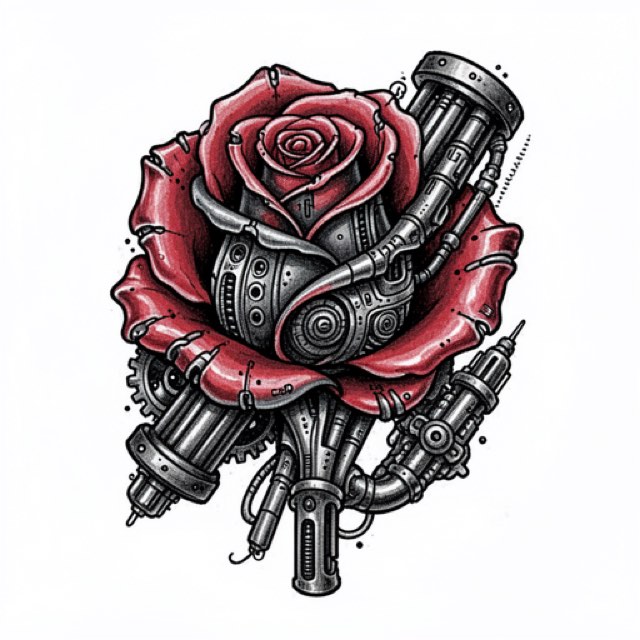
Biomechanical is the only major tattoo style whose subject is the skin it is drawn on. A traditional eagle is a picture placed on an arm. A biomechanical panel claims the arm has been opened and that there is machinery underneath. That claim is fragile, and it usually breaks at the stencil stage rather than at the machine — because the design was composed flat, on a rectangle, for a limb that is neither flat nor rectangular.
Fit the stencil to the limb before you fit it to the page
Do this before you process anything. Photograph the limb in the pose the piece will be worn and normally seen in, with the camera perpendicular to the midpoint of the working area and roughly a meter back. Closer than that and lens perspective inflates the near end of the limb, so the design you build on that photo will be wrong at both ends. Lay a ruler or a strip of tape with centimeter marks along the limb axis in the frame; you cannot judge real size from a screen.
Take two measurements while you are there. The length of the working area, and the circumference at its widest point. The second number is the one people skip, and it decides the composition: a design that occupies more than roughly a third of the circumference cannot be seen at once from any single viewing angle. Past that, you are not designing one piece, you are designing two joined at a horizon the viewer never sees across.
Now build the design against that photo rather than against a blank canvas. Put the limb photo on a layer under your drawing at reduced opacity and draw over it, so the torn openings land where the muscle actually rises and the structural members run along the real long axis of the limb rather than the long axis of the paper. Do this in a drawing app with layers, before import: InkLine’s photo guide only shows the photo a stencil was made from, under that stencil, so it cannot hold a separate limb photo under a new design.
Then run the dry fit, which is the single highest-value ten minutes in this style. Print the stencil at true size, cut the silhouette out, and tape the paper onto the limb before you transfer anything. Paper does not stretch. Wherever it tents or creases — the deltoid cap, the belly of the calf, the front of the knee, the twist of the forearm in pronation — the transferred stencil will distort by about the amount the paper had to lift. Mark those spots with a pencil directly on the sheet.
Biomechanical has a structural advantage here that no other style has. The design is jointed by definition, so you can move a mechanical gap, a plate seam or a torn edge onto the exact place where the paper wanted to fold. Distortion at a joint reads as articulation. Distortion across a smooth machined plate reads as a mistake.
Line weight, gaps, and what actually survives transfer
Biomechanical source art is dense, and density is the enemy of transfer. The stencil is not a copy of the artwork — it is the subset of the artwork that has to be decided before the needle starts.
| Element | Stencil line at final print size | Belongs in the stencil |
|---|---|---|
| Torn-skin boundary | 0.6–0.8 mm | Yes — the heaviest line on the sheet |
| Plates, pistons, structural members | 0.4–0.5 mm | Yes |
| Cable and tendon bundles | 0.3–0.4 mm | Outer envelope only, not individual strands |
| Recess boundaries (where solid black begins) | 0.3–0.4 mm closed contour | Yes, closed so it cannot be misread |
| Highlight edges | 0.25–0.3 mm | Yes, with the highlight side marked |
| Surface scratches, pitting, micro-texture | — | No — decide it at the machine |
Keep the heaviest line under about 0.8 mm and nothing under 0.2 mm; printing as drawn, InkLine’s print screen warns at both widths. The torn edge reads as heavy on skin because of how it is lined and packed, not because the transfer line is fat, and a fat transfer line smears exactly where the needle should sit.
One rule covers most failures: if two lines sit closer than about 1.5 mm at final print size, they will read as a single line after transfer, and a field of them will read as gray. Transfer solutions spread pigment slightly under pressure, and skin is not paper. A design that looks intricate at 100 percent zoom on a phone is being displayed at four or five times its printed size.
Contrast in this style is not a smooth gradient, it is an ordered stack. Work in three or four discrete depth planes — deepest recess, mid tone, surface, highlight — and make the stencil carry the boundaries between them rather than the shading inside them. The deepest recesses should be marked as regions that will go solid black — Tonal’s hatching over the deepest level does exactly that — not sketched. The highlights should be marked as regions you will not touch. Everything between those two extremes is where your shading judgment lives, and putting it on the stencil only clutters what you need to read at hour four of a long sitting, by which point a dense stencil has partly wiped anyway.
Tonal first, Outline second
Tonal mode is the primary extraction for this style because biomechanical depth is carried in value, not in contour. It turns the source’s shading into a black-and-white shadow map: light outlines, a dotted line where each of two to four shadow levels begins, and hatching over the deepest, with no gray fills because gray does not transfer. That is almost exactly the depth-plane stack in the previous section — the boundaries between planes, not the shading inside them — and the recesses arrive hatched, so you can read the depth order at a glance. Outline mode gives you the opposite thing and you need that too: a hard, even contour for the torn-skin boundary and the machined members, extracted cleanly enough to survive a long session. It draws contour lines only, which matters here, because Linework, the default mode, keeps near-black areas as solid fills.
The practical workflow is two passes on the same file, reconciled by hand. InkLine does not merge two modes into one stencil, and a mode applied on top of another processes that result rather than the photo, so extract Outline and save it to Photos, then step back to the photo on the timeline, extract Tonal and redraw the structural edges over it with the Pen, with the photo guide under the stencil and the saved Outline pass as your reference. It takes a few minutes and it produces a stencil that carries both depth and edge, which no single pass will give you. The stencil mode comparison covers the other modes and the design types they suit.
Two mode-specific details are worth knowing. In InkLine the Cleanup slider applies to Linework, Sketch, Denoised and Outline but not to Tonal, which is deliberate: cleanup removes small isolated marks, and in a Tonal map the dots and hatching are the artwork. Use Cleanup on the Outline pass to strip speckle, and the Eraser on the Tonal pass to remove genuine artifacts. Second, grayscale conversion matters more here than in any other style. Biomechanical reference renders often use a warm subsurface tone for the flesh side and a cool gray for the metal side, and those two colors can convert to nearly identical gray values. InkLine’s default grayscale is color-aware and keeps the line between two colors of the same brightness, which protects the edge; it does not make one side darker than the other, so in Tonal the flesh and the metal can still land in the same shadow level. Check that boundary specifically, and if the two sides have merged, adjust the source or use the Colors tool, which turns one of the photo’s dominant colors into black on white, before extracting.
Set Detail and Intensity lower than looks right on a bright screen. Both push toward the merged-line failure above. And the resolution floor is real: below roughly 1000 px on the long edge you are redrawing rather than converting. The optional 2x upscale on import resamples the pixels rather than adding detail, so it cannot rescue a small source. The x4 AI upscale offered on AI-generated results is the opposite case: it does add plausible detail, which in a style made of plausible-looking mechanical detail is a specific hazard — invented cables look completely convincing and correspond to nothing.
Placement, wrap, and viewing angle
The calf is the classic home for this style, and not by accident. The gastrocnemius already presents two distinct heads with a natural division between them, so the anatomy supplies half the “something structured underneath” reading before you draw anything. It is also seen from behind and from the side, mostly in one plane, which suits a design with a strong front. The calf placement guide covers sizing and wrap for that surface in detail.
The outer forearm and the deltoid-to-outer-upper-arm run work for the same reason: a dominant viewing angle, a mostly convex surface, and a clear long axis for structural members to follow. Ribs and the side of the torso are harder than they look, because the surface moves several centimeters between a standing pose and a seated one, and a design implying rigid machinery underneath is punished by visible flex. Transfer in the posture the piece will normally be seen in, not the posture that makes transferring convenient.
For anything past a single sheet, the largest single pages are A3 at 297 × 420 mm and Tabloid at 279.4 × 431.8 mm, and larger designs tile across up to 3 × 3 sheets. Seam placement follows the same logic as joint placement: put the page seams where the design already has a break — a plate edge, a gap between members, the torn boundary — and never through a smooth graded surface, where a 1 mm registration error becomes a visible step. Tape the tiled sheets together on their registration marks and dry-fit the assembled master on the limb again, because a design that fit on the table can still be 2 cm too long around the curve; then cut it apart and transfer section by section.
The on-skin preview is useful for checking scale and orientation with a client, and it is worth being straight about what it is: a visualization, not a measurement of how a design sits on a curved surface. It should not be the thing that settles a sizing disagreement. The taped paper on the actual limb settles it.
How a biomechanical piece ages
Every element of this style drifts in the same direction, which makes the drift predictable and worth designing against.
Solid black recesses spread outward as ink migrates, so a 1.5 mm gap between two black areas will close within ten to fifteen years. Plan those gaps at 2 to 3 mm if you want them still readable, and accept that the piece will read heavier at year fifteen than at week three. Fine highlight edges soften, so the crisp machined specular line that sells a metal surface on day one becomes a soft edge later — which is survivable if the highlight is a shape and fatal if it is only a thin line.
Highlights themselves are the real long-term risk, because they are negative space. You can always add black later; you cannot add skin. The most common ten-year complaint about biomechanical work is that it went flat, and flat almost always means the highlights closed up while the shadows expanded. Keep the light planes larger and lighter than looks correct at the time.
Dense black on the lower leg heals slower than on the forearm and is more prone to looking blown out if packed hard in one pass. And because a biomechanical panel is a continuous surface rather than a set of separate motifs, it is one of the hardest styles to extend or cover later. That is a conversation to have with the client before the stencil goes on, not after.
When another style is the better answer
If the design is under about 10 cm on its long axis, biomechanical stops working — there is no room for three depth planes plus a torn edge, the recesses close to a blob, and the piece reads as texture. Something built on contours will read better from across a room; the traditional stencil approach is the clearest example of what heavy outlines buy you at small size and long distance.
If what the client actually wants is impossible anatomy, melting forms and dream logic rather than machinery under skin, they want surrealism and the surrealism stencil page is the more useful starting point. The two get confused constantly, and they need different stencils: surrealism tolerates a flat composition placed on a limb, biomechanical does not.
Finally, the honest tooling limits. InkLine is a free download; its manual stencil workflow — processing, editing, print layout and export — runs locally on the device and is free up to an allowance on how many images you carry through it, and past that allowance it needs a subscription. AI generation uses a credit system and needs a network connection. For one-off pieces, travel work and the design stage, a phone and a home printer do the job. For shop-volume output it does not replace a dedicated thermal stencil printer, and pretending otherwise would waste your money before it wasted your time.
Frequently asked questions
Which extraction mode is best for a biomechanical stencil?
Tonal, with a second Outline pass. Tonal maps the value structure that makes the forms read as recessed or raised, which is the entire illusion, as dotted lines where each shadow level begins and hatching over the deepest. Outline gives you a crisp torn-skin boundary and clean structural members that survive transfer. The app does not merge two passes, so keep the Tonal result and redraw the hard edges over it by hand, using the Outline pass as your reference.
Why does my biomechanical stencil turn into a gray mat on skin?
Too much detail for the print size. Biomechanical source art is dense with cables, plates and micro-texture, and at 20 cm those elements land under a millimeter apart. Anything closer than about 1.5 mm at final size merges during transfer. Strip the surface texture out of the stencil entirely and carry only the depth-plane boundaries and the structure.
How big does a biomechanical tattoo need to be?
Around 15 cm along the long axis is a sensible working minimum, and below roughly 10 cm the style stops functioning. You need at least three distinguishable depth planes plus a torn edge, and at small sizes the recesses close to solid and the highlights disappear. A small piece is better served by a style built on contours than on depth.
Should the stencil show the highlights?
Yes, and mark them as no-ink zones rather than leaving them blank by accident. Highlights in biomechanical work are negative space, and negative space is the first thing lost once you start shading and everything drifts darker. A light contour around each highlight, labeled on the sheet, costs nothing and saves the illusion.
Can I reuse the same biomechanical stencil on another client?
You can reuse the design, but not the fitted stencil. The geometry was matched to one limb's length, circumference and muscle shape, and on a different body the torn openings stop landing where the muscle rises. Re-measure, reprint at that person's size, and dry-fit again before transfer.