
Convert Photo to Line Art for Tattoo: Local or AI Tracing
Direct answer
Converting a photo to line art for a tattoo happens two different ways, and they fail for different reasons. Local edge detection traces the contrast physically present in the pixels, so it is deterministic, runs offline and returns the same lines every time from the same settings. AI tracing instead interprets the subject and redraws it, which can reduce a cluttered photo to clean linework, but it needs a network connection, uses credits and produces a different drawing on each run. Neither route rescues a source below roughly 1000 px on the long edge. InkLine ships both.
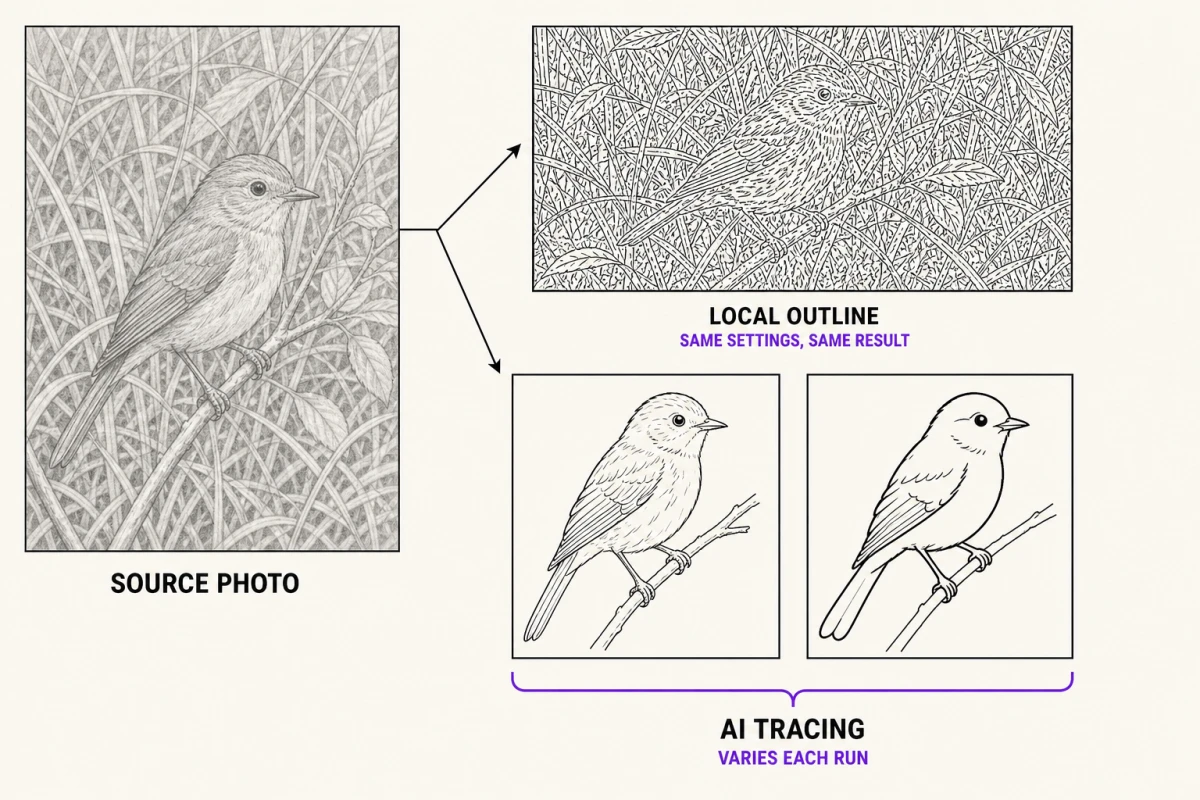
Photo to stencil, on an example
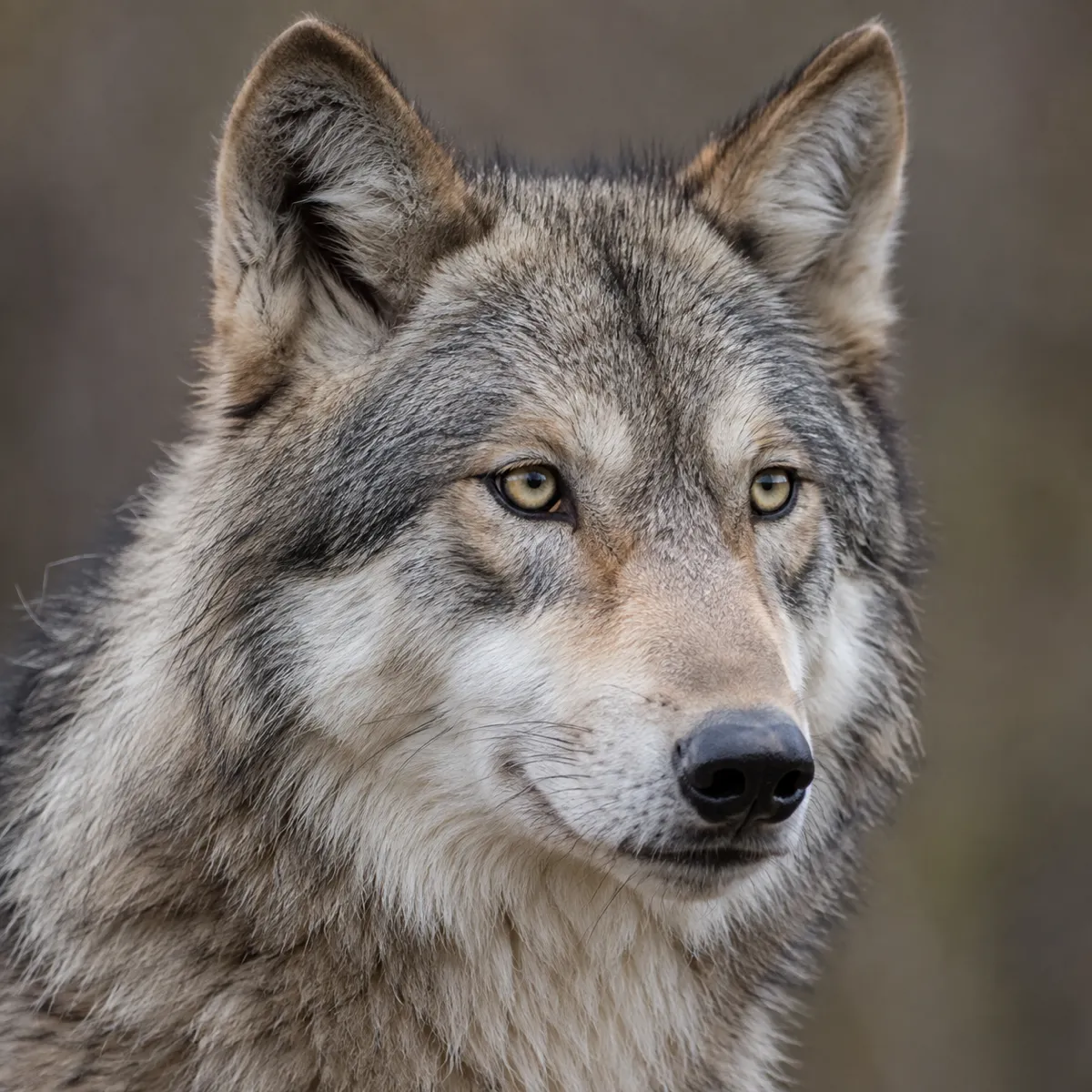
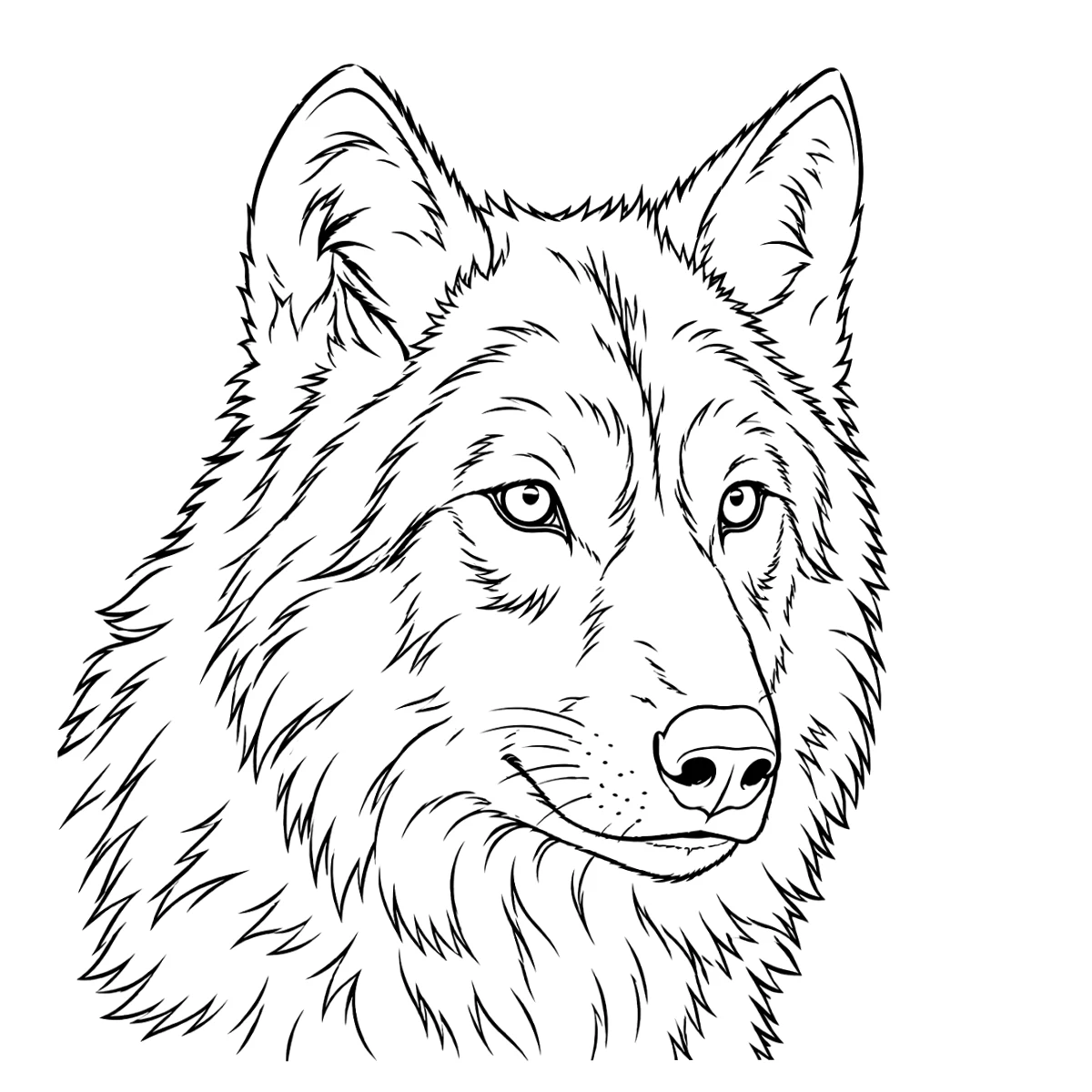
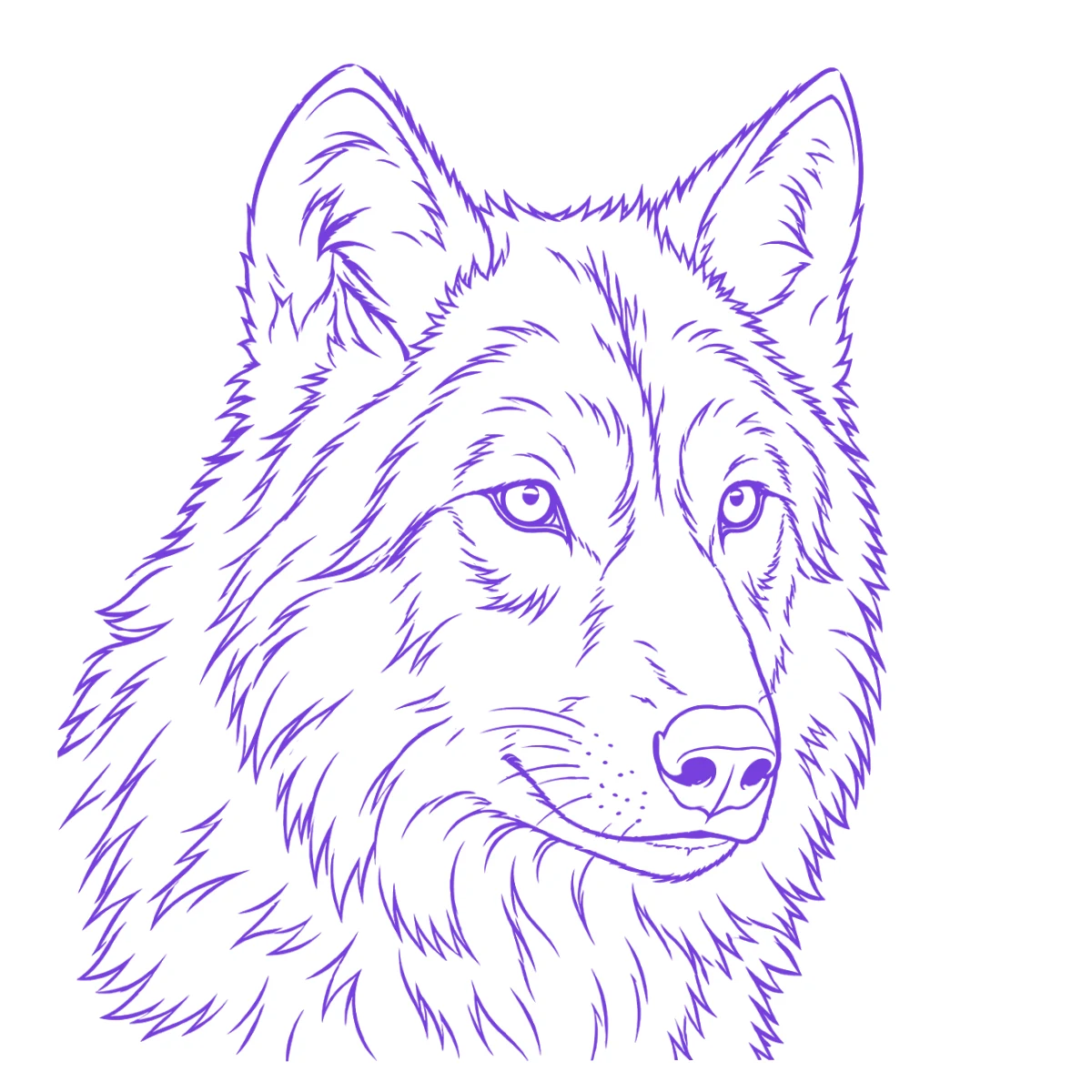
The reference photo and this stencil are AI-generated examples made for this library — not a client photo, and not InkLine output.
There are two fundamentally different ways to turn a photograph into tattoo linework, and most bad results come from picking the wrong one for the source. Edge detection finds contrast that is physically present in the pixels. AI tracing decides what the subject is and redraws it. This page covers when each wins, works through three concrete cases, and states the resolution floor that stops both.
Which route wins, by source
| Source photo | Better route | Why |
|---|---|---|
| Ink on paper, flatbed scan or even-light phone shot | Local Linework | Every edge you want is a real, high-contrast boundary; nothing needs interpreting |
| Product or brand logo, screenshot of flat vector art | Local Linework, or Outline for the bare contour | Geometry is mathematically crisp, and AI tracing introduces variation you did not ask for |
| Pet portrait shot outdoors, fur against grass | AI tracing | Fur is thousands of micro-edges; detection returns all of them, interpretation returns the animal |
| Human face, single strong key light, plain background | Local Linework at low Detail, then hand cleanup | Enough real contour survives to be worth cleaning up by hand |
| Human face, flat or mixed lighting | AI tracing | There is nothing for detection to lock onto, so a redraw is the only route that still reads as a face |
| Busy street or interior with one subject to isolate | AI tracing | Detection cannot tell subject from background; interpretation can |
| Botanical or object shot, high contrast, plain backdrop | Local Linework | Leaf and edge boundaries are genuine contrast, and the result is repeatable |
Read that table by what the photograph is physically made of, not by the style you intend to tattoo. A design you plan to execute in fine blackwork can still come from a source that is built entirely from tone, and no line-finding algorithm will invent contours that the camera did not record.
The order to try them in follows from cost, not from quality. Local line tracing is instant, runs on the device and spends no credits, so running it first costs about twenty seconds and one image against the manual allowance. If the output is unusable, you have lost the twenty seconds and learned something specific about the source: that its structure lives in tone rather than in edges. That is the point at which AI tracing becomes the reasonable spend rather than a guess.
What local line tracing actually does
InkLine has six stencil modes, and two of them are the line-finding ones. Linework, the default, traces solid black lines along the contours it finds, keeps near-black areas as solid fills, and leaves out dark backdrops that run off the edge of the frame. Outline is the stricter version: contour lines only, coarser, with no fills and no fine hatching. Both look for places where the picture changes sharply and draw those as lines. Detail sets how fine or faint a change can be and still count. Intensity makes the lines bolder and lets more of the picture count as dark. Cleanup removes small dark specks and pushes pale grays to white.
Two properties matter more than the sliders. First, it is deterministic: the same photo with the same settings produces the same lines every time, which means you can tune a result, undo, and get back exactly where you were. Second, it never invents a line. Every stroke in the output corresponds to a measurable contrast boundary in the source, so if a line is in the wrong place, the shadow that caused it is in the wrong place too, and the fix is in the photograph rather than in the app.
The matching weakness is that detection has no opinion about importance. A blade of grass crossing a dog’s muzzle produces the same kind of edge as the jawline, at the same strength. Nothing in the algorithm knows one is the subject and the other is litter. That is why local tracing is excellent on isolated, high-contrast subjects and poor on anything photographed against clutter. On a grainy photo, Denoised runs the same Linework tracing on a noise-reduced copy, so less of the sensor grain gets traced as marks. The stencil extraction modes page covers all six, including what to reach for when the subject turns out to be tonal rather than linear.
Because all of this is local image processing, it works with no signal and no account. The manual stencil workflow around it — processing, editing, print layout and export — is free up to an allowance on how many images you carry through it, and needs a subscription past that allowance.
What AI tracing does differently
AI tracing, the Photo to Stencil mode in InkLine, does not measure edges. It looks at the photograph, forms a representation of what the subject is, and draws that subject as tattoo-ready linework in the AI stencil style you pick: Clean, Standard, Detailed, Dotwork or Sketchy. Those styles are instructions to the model, not the local stencil modes. The practical consequences run in both directions.
In your favor: it closes gaps that detection leaves open, it drops background clutter without you masking anything, it chooses a consistent line weight instead of inheriting whatever contrast happened to exist, and it will resolve an occluded contour — a paw behind a tail, an ear cut off by a shadow — into a continuous line a human artist would have drawn. On a busy source it can compress ten minutes of erasing into a single pass.
Against you: it is not repeatable, and it will invent. Run the same photo twice and you get two different drawings, differing in simplification level and line weight. It may straighten a curve, symmetrize an eye that was not symmetric, or add a whisker that was never in the frame. On a portrait of a specific animal or person, those small inventions are exactly what the client will notice. Compare the traced output against the original at full size before you commit, and correct with the pencil rather than re-rolling.
AI tracing needs a network connection and a credit per result, so it is a deliberate spend rather than the default first move. There is also a middle route: run the local tracing, then use AI Refine in the workspace, which doubles the resolution and cleans up imperfections for a credit.
Three cases, worked through
The pet portrait. A golden retriever photographed outdoors, sitting in grass, in afternoon light. Outline, or Linework at high Detail, returns a dense mat of short strokes: every lit fur tip, every grass blade, every gradation across the chest. It is technically a correct edge map and practically unreadable. AI tracing returns a dog — a closed silhouette, a defined muzzle, eyes and nose as deliberate shapes, fur suggested by a few directional strokes instead of ten thousand literal ones. This is the clearest case for interpretation over detection, and it is why the fur-versus-grass problem is worth understanding before you pay for anything.
The product logo. A flat two-color mark, screenshotted at high resolution. Local tracing nails it: Linework keeps the solid areas as fills, Outline gives you only the contour. The boundaries are geometrically exact, the contrast is absolute, and the output is a faithful trace you can scale without argument. AI tracing on the same source is a downgrade: it will subtly restyle the letterforms, round a corner that was square, or shift the proportions of a mark whose whole value is being exactly right. Fidelity to exact geometry is the requirement, and interpretation is the wrong tool. Note separately that a brand mark belongs to somebody, and converting it does not change that.
The face. This one splits on lighting. A portrait with one strong key light, a clean falloff and a plain background carries enough genuine contour — jaw, brow, nostril, lip boundary — that Linework at low Detail gives you a usable skeleton to clean up by hand. The same face in flat window light or mixed indoor lighting has almost no hard edges, so detection finds the cheekbone shadow and the hairline and returns something like a contour map. There, AI tracing is the only route that still reads as a person, with the caveat above: check the likeness against the original, because a face is where small inventions become obvious.
What neither route can do with a small source
Below roughly 1000 px on the long edge, a photograph cannot be rescued into a clean stencil by either method. The arithmetic is simple. A design printed 15 cm (6 in) wide at a usable 300 dpi needs about 1,770 px across. A 700 px source is under half of that before you have drawn anything, so a 0.5 mm line has fewer pixels than it needs to stay continuous, and it breaks up.
Edge detection fails honestly here: it finds jagged, discontinuous edges and shows you the damage. AI tracing fails dishonestly, which is more dangerous. It will produce clean, confident linework at any input size, because it is generating plausible detail rather than recovering yours. On a low-resolution photo of a specific dog you get a beautifully drawn generic dog, and the client is the one who spots it.
The 2x upscale on InkLine’s import screen gives a marginal source more pixels to trace across, but it resamples; it does not recover information the sensor never captured. When the source is genuinely too small, the honest move is to stop converting and start drawing: bring the photo in and redraw the lines, either against the photo guide, which shows the original photo under the stencil at reduced opacity, or on paper. Photo resolution for tattoo stencils sets out the thresholds by print size.
After the conversion, before the skin
Neither route hands you a finished stencil. What both produce is a starting point that still needs an artist: strays erased, gaps closed where a line should be continuous, weight thinned where the transfer will spread, and the whole thing mirrored if you are working off a flipped reference. Apple Pencil support, stroke-by-stroke undo and a step timeline you can move back along mean you can push a cleanup pass hard and step back if it went too far.
Then it prints. The print layout puts it on paper at the width or height you type, on US Letter, US Legal, Tabloid, A4 or A3 in portrait or landscape, through an AirPrint printer or as a PDF, with tiling across up to 3 × 3 sheets when the design is bigger than one. Worth stating plainly: a phone and a home printer do not replace a dedicated thermal stencil printer for shop-volume work. They cover one-off, travel and apprentice work well, and that is the narrower claim this site is willing to make. The end-to-end sequence, from framing the source photograph to a transfer on skin, is in how to make a tattoo stencil from a photo.
Frequently asked questions
Should I use edge detection or AI tracing for a pet portrait?
AI tracing, in most cases. Fur is thousands of micro-edges, and edge detection returns all of them as separate marks, which reads as static rather than as an animal. Detection wins on a pet shot only when the animal is short-haired, front-lit and set against a plain backdrop.
Does AI tracing work without an internet connection?
No. AI tracing runs on a server and needs a network connection. The six local stencil modes, including Linework and Outline, the Detail, Intensity and Cleanup sliders, editing and print layout all run on the device, so those still work in airplane mode or in a convention hall with no usable signal.
Can I convert an 800 px photo into usable tattoo line art?
Not into a faithful conversion of that specific photo. Below roughly 1000 px on the long edge you are redrawing the design rather than converting it, and both routes will disappoint you. The 2x upscale on the import screen resamples the pixels; it does not recover detail the camera never captured.
Why does AI tracing give me a different result each time I run it?
Because it is interpreting rather than measuring. Edge detection is deterministic and repeatable from identical settings; AI tracing makes fresh decisions about what matters in the image on every run, so line weight, level of simplification and small details will vary.
Does converting a photo to line art make the design mine to tattoo?
No. Running someone else's photograph or artwork through a converter does not change who owns it, and the resulting linework is a derivative of the source. Use your own photographs, client-supplied photographs with permission, or artwork you have the right to use.