
Chicano
Chicano Tattoo Stencils: A Crooked Letter Cannot Be Fixed
Direct answer
A Chicano tattoo stencil has to do two unrelated jobs on one sheet: carry letterforms that are exact, and map where the gray wash goes without printing the gray itself. Extract the linework in Linework mode, print at 100 percent, and read every letter on paper before it touches skin, because a crooked letter is the one error nobody freehands out later. Plan the shading separately in Tonal, which maps the wash as dotted boundary lines instead of gray, and keep hairlines at roughly 0.3 mm or wider at printed size so they survive the transfer. InkLine runs both extractions on the device, so you can compare the two passes with no connection.
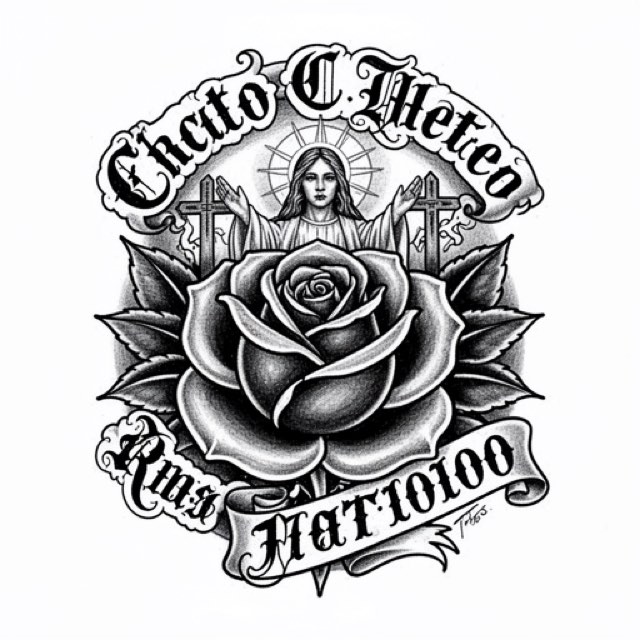
Chicano work is a black and gray tradition that puts two very different demands on one sheet of paper. The imagery — roses, hands, portraits, religious figures, script — is drawn with a fine line and shaded with smooth diluted gray, and gray does not belong on a stencil at all. The lettering, meanwhile, has to be exact in a way almost nothing else in tattooing does.
Set the lettering first, and build the sheet around it
In most styles a stencil is a strong suggestion you refine at the machine. Script is not. A rose petal transferred 2 mm off its intended curve is still a rose petal, and you can pull it back as you line. A letter transferred 2 mm off is a malformed letter, and every person who ever looks at the tattoo — including people who know nothing about tattooing — reads the error instantly. Lettering is where a Chicano stencil earns its keep, so finish it before you think about the imagery.
Three things should exist on the sheet before you call it ready.
Guide rules you can see on skin. Print a thin baseline and a cap line running the full length of the script, offset 2 to 3 mm clear of the letters so neither can be mistaken for a stroke. Skin curves; a line that is straight on flat paper is not straight on a forearm, and without a printed reference each letter quietly rides the curve on its own until the middle of the word sags. The guides are for checking, not for tattooing.
Spacing settled on paper. Transfer a line of script as one piece. Cutting a sentence into words so each lands nicely is the fastest way to end up with three well-placed words and two gaps that do not match anything else in the piece.
Counters that are still open at print size. In fine-line script the enclosed spaces inside a, e, o and the notch where a hairline meets a thick stroke are the first details to close. They close twice: once when a home printer renders them, and again over the years as the line spreads under the skin.
| Check at 100 percent on paper | Working threshold | What goes wrong below it |
|---|---|---|
| Hairline stroke width | about 0.3 mm | Print breaks it into dashes and you improvise the join |
| Enclosed space inside a, e, o | about 1 mm of clear white | Fills in as the line settles, usually within a year |
| Notch where hairline meets thick stroke | a visible white gap | The junction blobs and the letter loses its shape |
| Clearance between stacked lines of script | 2 mm minimum | Descenders and ascenders collide as both spread |
| Baseline drift end to end | measured against the printed rule | The eye cannot judge a baseline on a curved limb |
| Spelling, names, dates | read backward, character by character | Forward reading autocorrects what is actually there |
Two habits catch more errors than any amount of care. Read the words backward, one character at a time, so your eye stops supplying the word you expect. Then flip the whole sheet and look at it mirrored: reversing an image strips out familiarity and shows you the shape you actually drew, which is why a lopsided crossbar or an uneven pair of loops jumps out immediately. InkLine has mirror and flip on the canvas, so that check takes a second and the step history means nothing you try is permanent. Hand the printed sheet to the client and have them read it too. A name misspelled on a phone screen is a conversation; the same name misspelled on skin is not.
Linework for the line, Tonal for the wash map
The style is defined by smooth gray, and smooth gray is the thing you must not print. Transfer ink laid down across a large mid-tone field is too much material for the skin to hold: it smears at the first pass of a hand or a wiped bottle, and it takes the linework underneath with it. What the stencil carries is line, plus a small number of boundaries telling you where one value ends and the next begins.
That splits the work across two extractions of the same source.
Run Linework for the sheet you print. It traces solid black lines along the contours, which gives you the script, the edge of each petal, the structure of hands and drapery, and the outer boundary of the shaded masses. It also keeps near-black areas as solid fills: fine for the thick stroke of a letter, not for a deep shadow under a hand or in a fold of cloth, which should be erased back to its boundary before printing.
Run Tonal separately as a planning pass. It is a black-and-white shadow map — light outlines, a dotted line where each of two to four shadow levels begins, hatching over the darkest — with no gray in it, and read as a map it tells you exactly where the darkest wash sits, where the mid-tone carries, and where skin is left open. InkLine does not merge two modes into one stencil, and a mode applied on top of another processes that result rather than the photo, so run Tonal on the photo first, save it to Photos, and step back to the photo on the timeline before running Linework. Keep the Tonal map open on screen next to you while you work, or pick two or three of its boundaries and draw them onto the Linework sheet with the Pencil brush before printing, with the photo guide under the stencil to show where each shadow falls. Two or three per form is the ceiling. More lines than that and the stencil stops reading as line and starts reading as noise at exactly the moment you need it to be unambiguous.
| Mode | On a Chicano source | Use it for |
|---|---|---|
| Linework | Solid traced lines, near-black areas kept as fills | The printed sheet: script, edges, structure |
| Tonal | Shadow map: dotted lines at each shadow level, hatching over the darkest | Planning the wash; copy two or three boundaries per form |
| Outline | Contour lines only, coarser and stricter than Linework | Heavy block lettering; check hairlines and accents survive |
| Sketch | Pencil look, shading kept as gray | A screen reference only; the gray does not transfer |
| Denoised | Linework on a noise-reduced copy | Grainy phone photos of a pencil drawing in poor light |
| Dotwork | Traced outlines plus stipple | A different tradition; stipple reads wrong against smooth gray |
Two slider notes are specific to this style. Detail pushed high on a portrait pulls skin texture, stray hairs and compression artifacts into the linework, and every one of those becomes a line you have to decide about at the machine; back it off until only structural edges survive. Cleanup applies to Linework, Sketch, Denoised and Outline only, so a noisy Tonal pass has to be fixed in the source photo rather than after the fact. On Linework, Cleanup is genuinely useful for scan speckle, but it removes small isolated marks without knowing what they are — the tilde over an ñ, the accent on an á, the periods in a date. Check those specifically every time you apply it. The broader mode decision is covered in which stencil mode to use for a design.
Processing runs on the device with no connection needed, so comparing Linework against Tonal on the same photo is a few seconds of work, as long as you step back to the photo on the timeline between them. Do it before you print, not after.
What the reference has to give you
Portraits are the hardest source in this style, and the reason is contrast rather than resolution. Fine-line black and gray is built on structural edges — the ridge of a nose, the line of a jaw, the break between a lit plane and a shadowed one. A flat-lit photo does not contain those edges, and no extraction mode invents them. Choose or shoot a reference with clear directional light before you touch a slider.
Resolution is still a hard floor underneath that. Below roughly 1000 px on the long edge you are redrawing rather than converting, which is the usual situation with a memorial portrait taken from an old print or a photo forwarded through three apps. Photograph the original square-on in daylight rather than screenshotting a messaging thread, and if it still will not hold, redraw it: the photo guide puts the original under the stencil at whatever opacity you want, up to 90 percent, so you can redraw the lines against it instead of fighting the photo. Photo resolution for stencils has the specifics on what fails and why.
For lettering, do not extract from a photograph of someone else’s tattoo. Beyond the copyright question, you inherit their spacing decisions and several years of ink spread baked into the shapes. AI generation is an alternative when a client arrives with references you should not copy: a text prompt produces an original design, a photo can be turned into stencil-ready line art, and there are 16 styles and 10 body placements to work from. It needs a network connection and uses a credit system, unlike the local processing above. Treat any generated lettering as a rough draft only — models produce confident, wrong letterforms, and proofreading them is not optional.
Where the style comes from, and what that asks of you
Chicano tattooing grew out of Mexican American communities in California and the Southwest, in barrio life and in prison, and the look was shaped by what was available: a single needle, an improvised machine, and black ink diluted down for gray. The absence of color was a constraint before it was a choice. The lettering tradition arrives from a different direction entirely, out of sign painting, pinstriping and hand calligraphy, which is why the alphabets are formal and unforgiving in a way the imagery is not. The style is now practiced worldwide, and its technical vocabulary is open to anyone willing to learn it properly.
The imagery is not neutral decoration. Religious figures, memorial portraits, dates, place names and certain numerals carry specific meaning to specific people, and some markings signal affiliations that are not yours or your client’s to wear. Ask what a piece means to the person before you draw it, and decline anything you are not comfortable putting on skin. On the copying side the rule is simple: reference the tradition, never reproduce a particular artist’s design. Individual flash and finished pieces are copyrighted work, and a stencil app makes copying easy enough that the decision has to be a deliberate one.
Placement, tiling, and where a seam can land
The forearm is the most common home for this work: a vertical panel reading up the arm, or a line of script following its length. The curve creates one predictable problem. A baseline that is straight on paper wraps around the limb, so when the arm is viewed straight-on the ends of the word appear to dive away. You have two fixes. Keep the script inside the flat central plane, which on an average forearm is only about 5 to 6 cm wide, or arc the baseline slightly in the file so it reads level once it is on the body. Check it on skin either way, before you commit. The on-skin preview is useful for discussing scale with a client, but it is a visualization, not a measurement of how a design sits on a curved surface.
Chest and back panels run larger and usually cross more than one sheet. InkLine prints US Letter, US Legal, Tabloid, A4 (210 × 297 mm) and A3 (297 × 420 mm) in portrait or landscape via AirPrint, and tiles a design that is larger than one sheet across up to 3 × 3 pages. The seam rule for this style is absolute: never let a seam cross a letter. Put it in the space between words, or inside an open gray area where a 1 mm alignment error is invisible. The same 1 mm through the waist of an S is a broken letter that you will be repairing freehand with the client already under the needle.
How fine line and gray age, and what a stencil never decides
Fine-line black and gray settles more than bold work does. A 0.3 mm hairline widens and softens over years, and diluted gray lightens, particularly on a forearm that sees sun. That does not make the style a bad choice, but it does mean the honest conversation happens before the session: fine-line work generally needs touch-ups sooner than heavy traditional work, and clients who hear that first are not disappointed later. The design consequence is to keep counters, the gaps between parallel hairlines, and the clearance between stacked lines of script wider than they need to look on day one.
There is also a limit to what any stencil decides. It is a map of where, never of how much. Needle depth, dilution ratio, how smoothly a wash blends into open skin, and whether a portrait reads at two meters are all decisions made at the machine with the reference in front of you. A perfect sheet does not rescue a design carrying more information than its size can hold, and reducing the amount of detail is usually the better answer than reducing the size of the detail.
The app has the same honest limits here as anywhere else. Below roughly 1000 px on the long edge a photo cannot be rescued into a clean stencil. An iPhone and a home printer do not replace a dedicated thermal stencil printer for shop-volume work. InkLine is a free download, and the manual stencil workflow — processing, editing, print layout and export — is free up to an allowance on how many images you carry through it, and needs a subscription past that allowance; AI generation uses a credit system and needs a connection, while everything described in the Linework and Tonal sections above runs locally on the device.
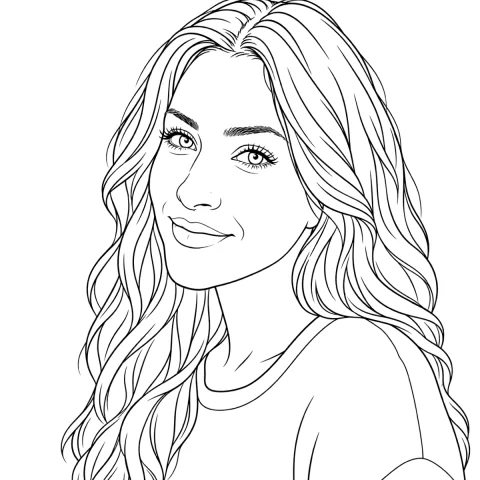
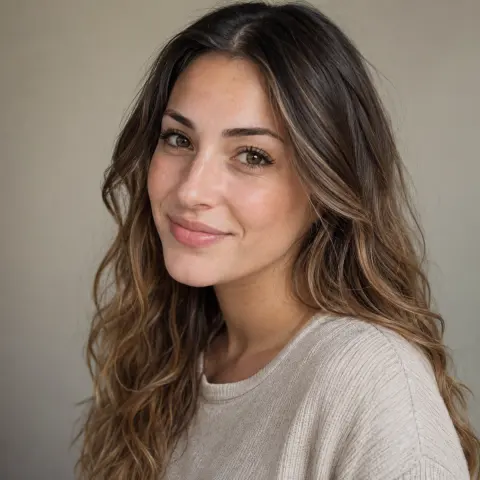
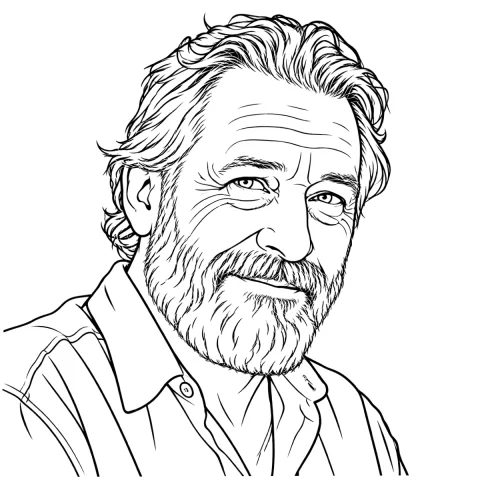
Free stencils to start this style from
Frequently asked questions
Which extraction mode is right for Chicano lettering?
Linework. It traces each stroke as a solid black line and holds the hairlines, accents and tildes that Outline's coarser trace can drop, so the letterform on paper is the one you will tattoo. Run Tonal as a second pass on the same source if the piece has shading, and treat that output as a plan for the wash: copy two or three of its boundaries onto the lettering sheet rather than transferring the whole map.
Should the gray shading be printed on the stencil?
No. A printed mid-gray field deposits far more transfer ink than skin holds in place, and the first wipe drags it across the linework underneath. Mark the boundaries between wash zones with two or three lines per form and leave the values themselves to the machine and your reference.
How small can fine-line Chicano script go?
As a working rule, keep the enclosed spaces inside letters like a, e and o at about 1 mm of clear white at final printed size, which for most script alphabets puts the lowercase x-height near 8 to 10 mm. Below that the counters close as the line spreads, and a word that read clean at three months turns into a dark smudge.
Can I build a Chicano portrait stencil from a client's phone photo?
Sometimes. It needs directional light and roughly 1000 px on the long edge or more; a flat-lit, heavily recompressed screenshot has no structural edge along the nose or jaw for the extraction to find. Photograph the original print square-on in daylight instead of forwarding a copy of a copy.
Is AI-generated lettering safe to use in a stencil?
Only after you proofread it letter by letter. Generated script looks plausible at a glance and frequently contains malformed or invented characters, doubled strokes, and wrong accents. Use generation to work out composition, then rebuild or correct the lettering yourself before anything gets printed.