
Pet Tattoo Stencil From a Photo: Dogs, Cats and Fur
Direct answer
To make a pet tattoo stencil from a photo, start with the sharpest frame you have, taken at the animal's eye level with both eyes in focus and a visible catchlight, at least 1000 px on the long edge. The stencil should carry the eyes, nose, ear edges and the direction the fur grows, not every hair: stipple for fur texture, a shadow map for realism, contours for a line-led piece. A black or very dark coat needs a brighter photo or more exposure before conversion, or the face merges into one dark shape. InkLine runs those conversions locally on an iPhone or iPad.
Photo to stencil, on an example
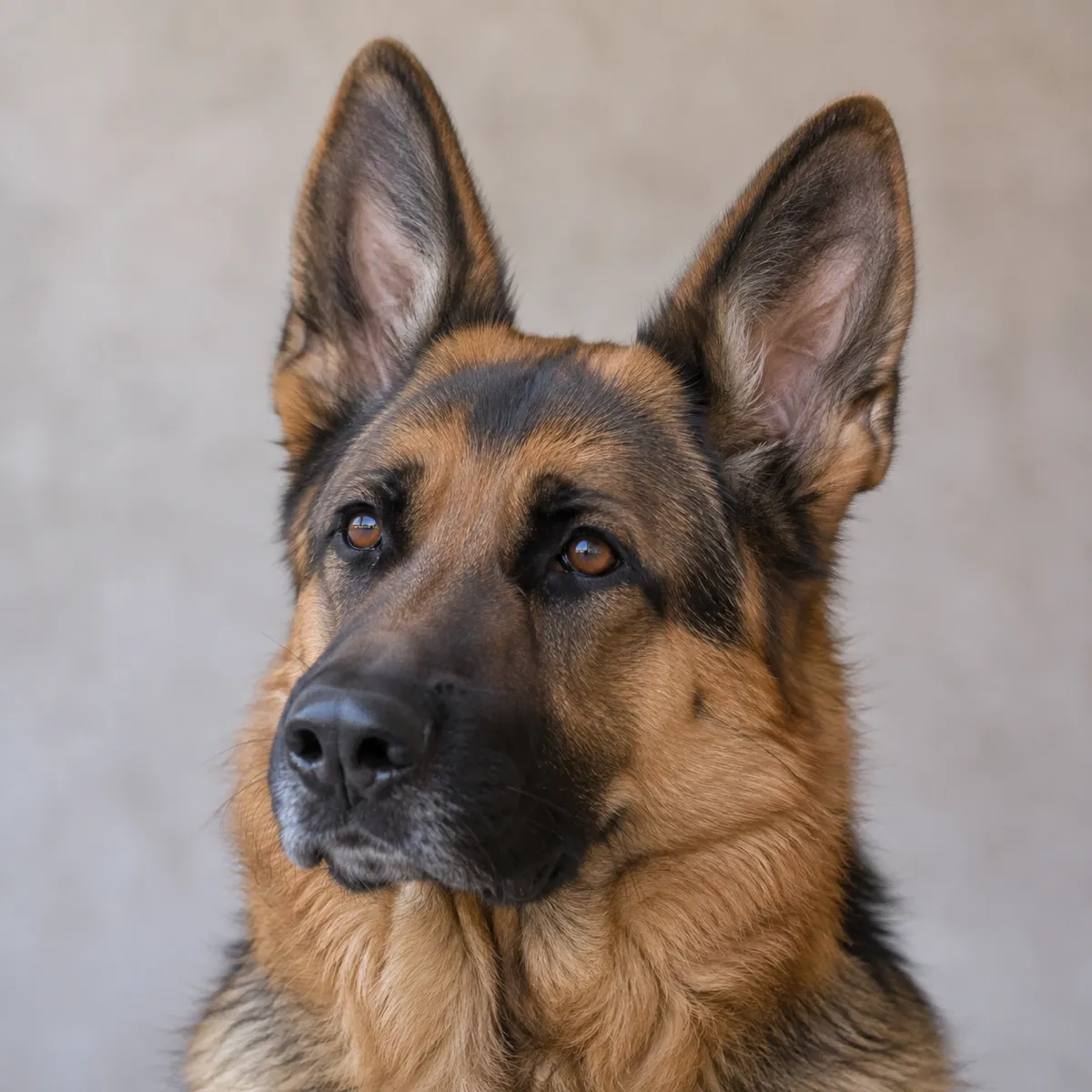
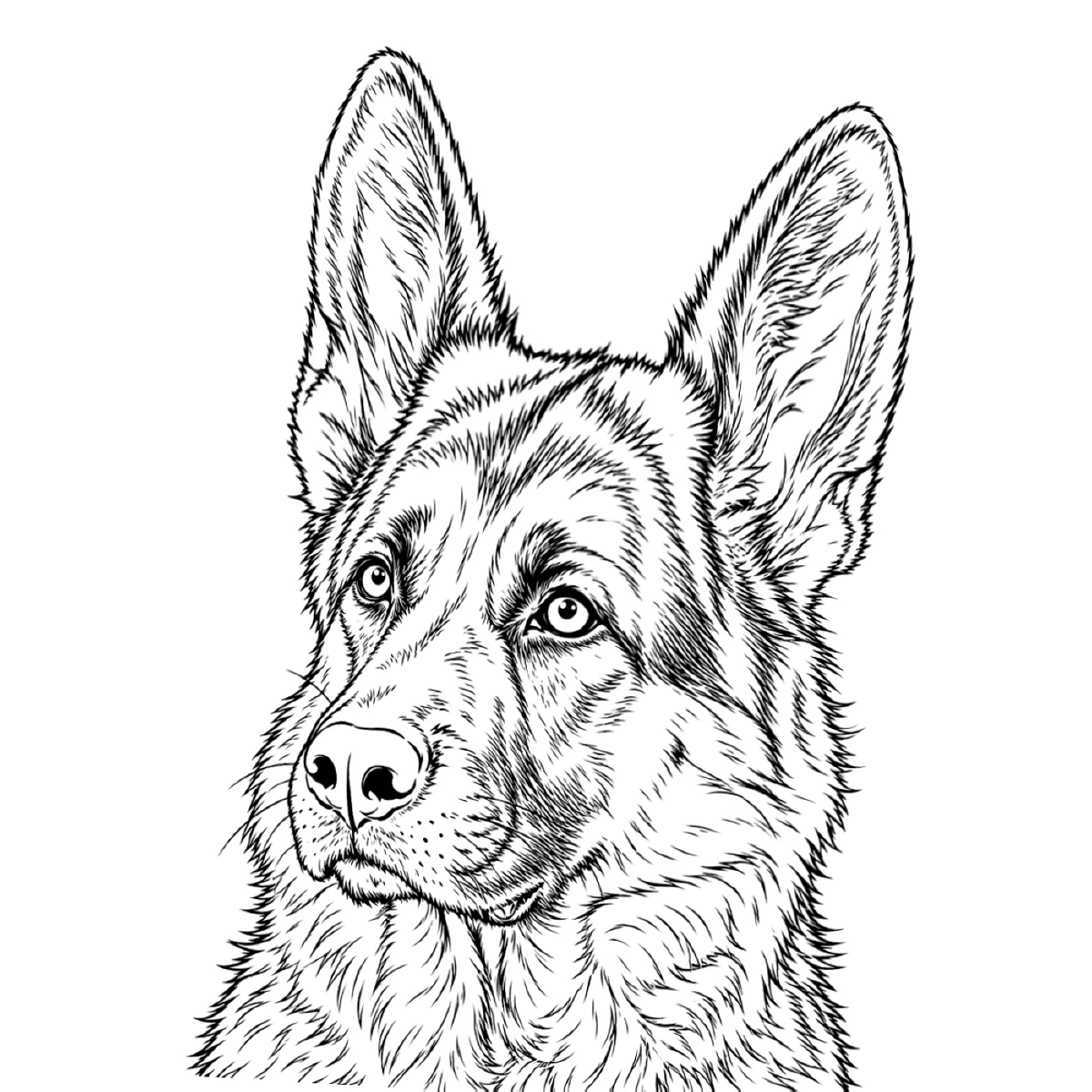
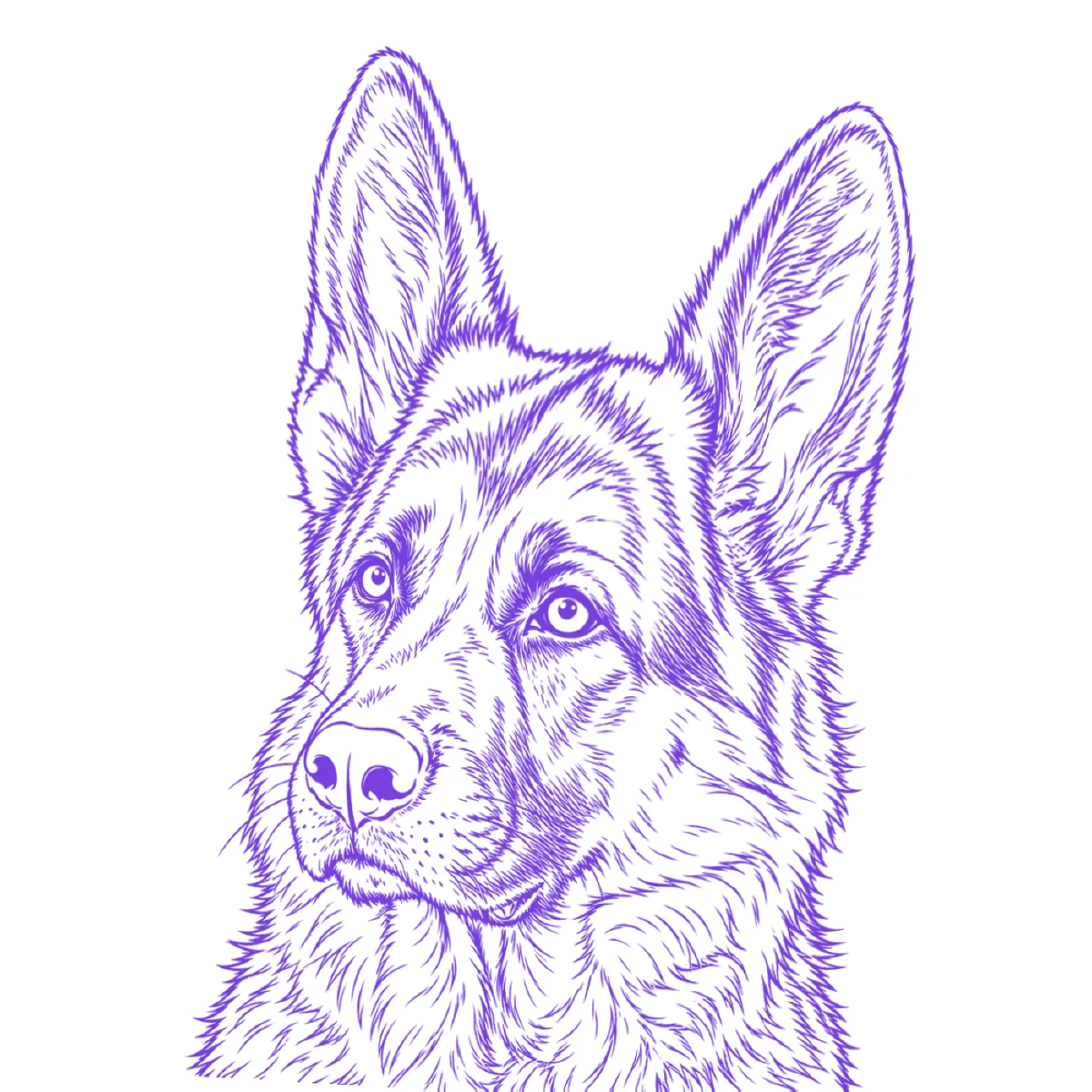
The reference photo and this stencil are AI-generated examples made for this library — not a client photo, and not InkLine output.
Most pet portrait tattoos start from a phone photo nobody took with a stencil in mind: indoors, in lamp light, of an animal that would not sit still, and often of a pet that has since died, so there is no chance to reshoot. That puts most of the work into choosing the right frame and deciding what the stencil should carry. Fur is the hard part, and the answer is that a stencil maps it rather than copies it.
Choose the frame before anything else
The photo decides the stencil, so spend the time here. Scroll through every picture of the animal, not just the favorite one, and judge each at 100 percent zoom.
- Sharp eyes first. Likeness in a dog or cat lives in the eyes. If they are soft, the portrait will look like a similar animal, not this one. Reject any frame where the eyes are blurred, even if the rest is lovely.
- A catchlight in each eye. The small white reflection tells you the eye was in light and gives the tattooer the highlight that makes it look wet and alive. A dull, flat eye in the photo becomes a black hole on skin.
- Eye level. Photos taken from standing height look down on the animal and shrink the muzzle and body. A frame taken at the pet’s eye level reads as a portrait.
- Fur direction visible. You need to see which way the coat grows on the forehead, cheeks and chest. Side light from a window shows it; a ceiling light or flash flattens it.
- Pixels after cropping. Crop to the head and check the long edge of what remains. Around 1000 px is the floor for a small piece; a 15 cm (6 in) realism portrait wants roughly twice that. Photo resolution for tattoo stencils has the arithmetic.
Indoor low-light shots fail in a specific way: the phone blurs motion and then smears fine detail with noise reduction. A blurry photo cannot be rescued. Sharpening exaggerates the blur and upscaling only resamples the existing pixels. If the only sharp photo is an older or less flattering one, use it; a sharp, ordinary photo makes a better tattoo than a blurry favorite.
Fur is mapped, not copied
The most common mistake with a pet stencil is trying to put every hair on it. A dense mat of lines transfers as a purple smudge, and the tattooer has to ignore it anyway. A good pet stencil carries four things:
- The outline of the head, the ears and any shoulder or chest that will be tattooed.
- The features, exactly: eyelids, iris edge and highlight, the nose leather and nostrils, and the line of the mouth.
- Fur direction, as a scatter of short strokes or dots showing which way the coat flows on each area of the face.
- The main tonal masses: where the dark markings, the saddle or the mask sit, as boundaries rather than filled shapes.
Everything else, the individual hairs, the soft gradients and the texture, is built freehand with the photo beside the artist. The strokes on the stencil are directions to follow, not lines to trace one by one.
Whiskers deserve their own note. They are single, very fine lines that a conversion usually reproduces as broken dashes, and a dashed whisker on the stencil is harder to tattoo than none. Most artists pull them freehand at the end in one stroke. Erase them from the stencil, or keep a dot at each root as a placement mark.
Which conversion suits which pet portrait
A pet portrait can be built several ways, and the stencil should match the method the tattoo will use. InkLine’s six stencil modes run locally on the device, so you can convert the same photo more than once and compare the results at print size before choosing.
| Mode | What it gives a pet portrait | Best for |
|---|---|---|
| Dotwork | Outlines plus stipple, denser where the photo is darker | Stippled or dotwork portraits where fur texture is built from dots |
| Tonal | A black-and-white shadow map: light outlines, dotted lines where each shadow level starts, hatching in the darkest | Black-and-gray realism, where the artist needs to know where each shadow begins |
| Linework | Solid black contour lines, with near-black areas kept as fills | Illustrative and line-led portraits, light-coated animals |
| Outline | Contour lines only, with no fills | A bare skeleton for an artist who will shade everything freehand |
| Denoised | Linework run on a noise-reduced, lightly smoothed copy | Grainy indoor and low-light phone photos |
Dotwork is the natural fit for fur: the stipple gets denser in the darker parts of the coat, which reads as texture and direction at once, and it thins out over an out-of-focus background. Dotwork tattoo stencils covers spacing and dot size for that style. Tonal suits a realism piece, because a portrait of a dog’s face is built from shadow shapes rather than contours. Sketch keeps grey pencil shading that prints pale and transfers poorly, so treat it as a reference rather than a stencil.
Black and dark-coated animals
A black Labrador, a black cat or a dark brindle is the hardest pet portrait to stencil. The camera records most of the face as near-black, the eyes and nose disappear into the fur, and any conversion that looks for edges finds very few. Linework in particular keeps near-black areas as solid fills, so a dark head can come out as one black silhouette with two specks for eyes.
What helps, in order:
- Find a brighter photo. A dark coat photographed outdoors in daylight, especially with the sun to one side, shows sheen along the fur that becomes direction strokes. One good daylight frame beats any amount of editing.
- Raise exposure and shadows in the phone’s photo editor before converting. Push until the eyes, the edge of the nose and the fur direction on the forehead separate from the rest. The photo will look washed out; the stencil does not care.
- Use Tonal or Dotwork rather than Linework, so dark areas become hatching or dense stipple instead of a solid fill.
- Draw the face by hand. On a dark animal, the eyes and nose are usually worth redrawing rather than trusting to any conversion.
If the features never separate, no setting will find them. Pick a different photo, or have an artist draw the portrait from several references.
Editing the stencil against the photo
Every pet conversion needs hand editing, and the face needs the most. Zoom to 100 percent, remove the background specks and the stray hairs the camera caught, and then check the features one by one against the photo: the shape of each eye, the position of the highlight, the nostrils and the corner of the mouth. A misplaced millimeter in an eyelid changes the expression.
In InkLine’s Edit screen you can put the original photo under the stencil at an adjustable opacity and redraw or correct lines against it with an Apple Pencil; the photo is never printed or exported. Reference overlay tracing explains how that works. Then set the true print size and check that each eye still has room for a lid line, an iris and a highlight. If it does not, print larger or simplify.
Honest limits
Some photos cannot become a good pet stencil, and it is better to know before promising a portrait.
- Blur is final. Motion blur and missed focus remove the information a stencil needs. Nothing restores it.
- Under roughly 1000 px you are redrawing. A cropped head from a group shot or a picture saved from social media often lands here. InkLine’s optional 2x upscale on import resamples the pixels to smooth line edges; it does not add the fur and features the camera never captured. When a client’s photo is too low resolution covers what to do instead.
- AI changes the animal. AI generation can turn a photo into a stylized design, but it produces a new image, and that can mean altered markings, a different eye shape or ears in a slightly different place, which are exactly the details that make a pet recognizable. Each AI result uses a credit and needs a network connection. When likeness matters most, as it does with a memorial piece, convert the photo directly and edit by hand.
InkLine is a free download. The manual stencil workflow is free up to an allowance on how many images you carry through it and needs a subscription past that allowance; AI generation uses credits.
Frequently asked questions
Can you make a tattoo stencil from a blurry pet photo?
Not a good one. Motion blur and missed focus remove the edges a stencil is built from, and no sharpening or upscaling puts them back. Use a sharper photo, even an older or less flattering one, or have an artist draw the portrait from several references.
How do you stencil a black dog or cat?
Brighten the photo first, raising exposure and shadows until the eyes, nose and fur direction separate from the body, and pick a photo taken in strong daylight if you have one. On the stencil, mark the outline, eyes, nose and a few fur-direction strokes; the dark mass itself is shaded freehand.
Should whiskers be on a pet tattoo stencil?
Usually not. Whiskers are single fine lines that a stencil reproduces as broken dashes, and they are easier to pull freehand with one confident stroke after the rest of the portrait is in. Mark only their roots if you want a placement guide.
What size should a pet portrait tattoo be?
For a realistic face, around 10–15 cm (4–6 in) tall gives the eyes enough skin for a lid line, iris and highlight. Smaller than about 8 cm (3 in), simplify to the outline, eyes and nose and treat the fur as a few strokes.
Can AI turn my pet photo into a tattoo design?
It can produce a stylized design from a photo, but the result is a new image, and AI can change markings, eye shape or ear position that make the animal recognizable. Compare it closely to the original before tattooing it, or convert the photo directly when likeness matters most.