
Dotwork
Dotwork Tattoo Stencil: Dot Spacing That Survives Transfer
Direct answer
A dotwork tattoo stencil is judged by one measurement: the center-to-center distance between adjacent dots at final print size, not on screen. Below about 0.8 mm the dots merge during transfer and you get a gray patch instead of a stipple field; 0.8–1.5 mm is the working range, because a 3-round liner lays a dot roughly 1 mm across. Use an extraction mode that maps tone to dots rather than to gray, keep the darkest field short of solid, and check the result on paper at full size. InkLine's Dotwork mode does that mapping on the device.
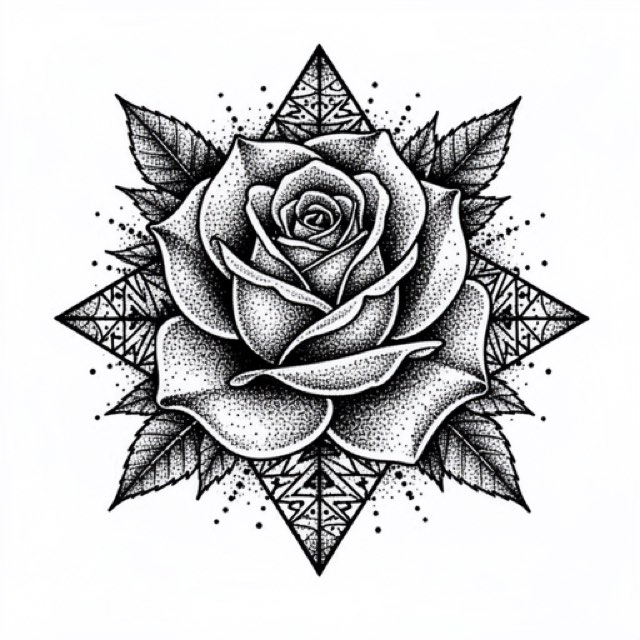
Dotwork is the one style where the stencil and the technique speak the same language. Everywhere else you translate — a gray patch means shade this, a hard line means run a liner. A dotwork stencil hands you tone already broken into points, which is the exact unit you will be working in for the next several hours. That advantage holds right up until the dots sit closer together than a needle can land, and that threshold arrives sooner than most people expect.
Dot pitch at final print size decides everything
The measurement that matters is the center-to-center distance between neighboring dots, taken on the printed sheet, at the size you are actually going to transfer. Screen previews cannot tell you this. A phone display showing a 30 cm mandala is reducing the artwork roughly fivefold, and a field that looks crisp at that reduction is frequently solid on paper.
Print the darkest region at final size, put it flat on the table, and look at it from normal working distance. Then read it against this:
| Dot pitch on paper | What you see | What happens at transfer |
|---|---|---|
| Under 0.5 mm | Continuous gray, no countable dots | Merges into a solid patch |
| 0.5–0.8 mm | Dots visible only up close | Mostly merges; usable as a value map only |
| 0.8–1.5 mm | Clearly separate dots at arm’s length | Roughly one needle dot per stencil dot — the working range |
| 1.5–3 mm | Open, obviously spaced field | Transfers cleanly and stays legible for years |
| Over 3 mm | Sparse points | Reads as pattern rather than as tone |
The 0.8 mm floor is not a preference. A 3-round liner lays a dot around 1 mm across, and a single needle around 0.35 mm. A stencil asking for 0.4 mm pitch is asking you to place 1 mm dots 0.4 mm apart, which is a description of solid black written in a very slow way.
Two consequences follow immediately. First, pitch scales with the print, so a design you processed and approved at 8 cm will look sparse at 20 cm and will close up if you shrink it to 5 cm. Decide the final size, then process, then judge on paper — in that order, every time. Second, once a field passes roughly 60 percent ink coverage it is functionally solid, and the honest move is to render it as solid black and let dots do their work only in the transition zones.
What a good dotwork stencil has to show
Line weight in dotwork is deliberately boring. The style builds depth with density, not with tapered strokes, so the geometric scaffolding — frames, circles, radii, panel edges — should print at a single consistent weight of roughly 0.3 to 0.5 mm, the range InkLine’s Fine, Medium and Bold line settings aim for. A dotwork stencil that arrives with variable line weight is telling you something the technique will not deliver.
Contrast is about steps, not smoothness. You need three or four clearly distinguishable density zones with visible boundaries between them, and you need them printed in true black. A stencil printed light will lose its sparsest zones entirely at transfer, because thermal and hectograph transfers both drop small isolated marks before they drop lines. Those sparse zones at the edge of a gradient are the first casualties and the hardest to reconstruct from memory.
That leads to the single most useful thing you can add before printing: draw a faint contour around each density zone. When the dot field wipes off — and it will, because each dot has far less contact area than a line and dotwork sessions run long — the contours survive, and you still know where the value changes. The why stencil lines break up guide covers the transfer mechanics behind this in more detail.
Finally, read the stencil correctly. It is a density map with boundaries, not a placement plan for individual dots. Skin stretches under the tube; no one is landing a needle on stencil dot number 4,318.
Why the Dotwork mode, and what it needs from your source
The Dotwork mode traces the outlines and maps source tone directly to stipple density: evenly spaced dots, denser where the picture is darker, none on blank paper. No other mode does that. Tonal draws a shadow map — dotted boundary lines where each shadow level begins, hatching over the darkest — which suits black-and-gray realism and is indirect here, because it hands you levels and hatching you then have to convert into dot density at the machine under time pressure. Sketch leaves tone as gray, which transfer loses. Outline gives contours and nothing for the fields. If the piece will be executed in stipple, extract it in stipple. The stencil mode comparison walks through the other modes and the design types they suit.
The mode does have a requirement: your source needs actual tone. Flat line art has none, so running it through Dotwork gives you its outlines and almost no stipple. Feed it a photograph, a soft pencil render, or a grayscale painting — something with a real value range to distribute. One behavior is worth knowing in advance: the mode puts fewer dots over out-of-focus backgrounds, so the subject stands alone. If you want the background stippled too, it has to be sharp in the source or drawn in by hand.
Three practical notes on the controls. Detail sets how fine and close the dots are, so raising it means more and smaller dots. Intensity decides how much of the shading gets dots at all, and how bold the outlines are. Both push you toward the density failure described above, so set them lower than looks right on a bright screen. The Cleanup slider is unavailable in Dotwork, and that is deliberate rather than missing: cleanup removes small isolated marks, and in a stipple field the small isolated marks are the artwork. Remove a genuine artifact with the Eraser instead — the editor’s stroke-by-stroke undo makes an over-aggressive pass reversible.
One warning specific to this style. Below roughly 1000 px on the long edge you are redrawing rather than converting, and the optional 2x upscale on import does not change that: it resamples the pixels rather than adding detail, so a soft source stays soft and its zone boundaries stay vague. The opposite risk applies to AI renders. The x4 AI upscale offered on AI-generated results does add plausible detail, and in dotwork plausible detail becomes invented dots, which look entirely convincing on the stencil and correspond to nothing in the design.
Geometry and dotwork in the same piece
The most common real dotwork job is a hybrid: a hard geometric frame with stippled fields inside it. Dotwork traces outlines along with the stipple, so one pass often gets you both halves — but a traced outline is rarely as crisp as a frame built with a compass, and the frame is the half that has to be exact.
Where the frame comes out soft or broken, redraw it over the dot field in the editor with the Pen brush and the ruler, with the photo guide under the stencil so the new lines follow the original geometry. InkLine does not merge two modes into one stencil, so a separate Linework pass — run on the photo, not on top of the Dotwork result, and saved to Photos — is useful as a reference for where the frame runs, not as a layer. Mirror the result partway through as a check: on a radially symmetric design, flipping it makes uneven density obvious in a way that staring at the original does not. The geometric stencils page covers the frame side of this in depth.
Size is where hybrids get awkward. A3 (297 × 420 mm) and Tabloid (279.4 × 431.8 mm) are the largest single sheets, and anything beyond them tiles across up to 3 × 3 pages in InkLine. Seam alignment behaves differently here than in linework: with lines you align a continuous edge, but an open dot field gives you nothing continuous to register against. Place the seams so they cross the geometric frame rather than the open fields, and align on the frame; the registration marks printed along each seam give you a second reference where the frame does not reach.
Placement, stretch, and how a dot field ages
Forearms and outer upper arms are the natural home for dotwork — mostly convex, comparatively even stretch, and easy to view flat while you work. The forearm stencil guide covers sizing and wrap for that surface.
Ribs, stomach and inner arm are harder than they look for this style specifically. Your eye reads spacing, so skin movement distorts a dot field far more visibly than it distorts linework; a 10 percent stretch turns an even field into an uneven one. Transfer with the client in the posture the piece will normally be seen in, not the posture that makes the transfer convenient. Hands and fingers close up fastest of all, and a fine stipple placed there is a short-term design.
Aging is where dotwork asks for the most planning. Ink migrates, so individual dots spread outward over time. Across ten to fifteen years an open field drifts toward an even gray and a dense field closes toward solid black. Both ends move, in opposite directions, which means the honest approach is to keep light zones lighter than looks right on day one and to stop the darkest zone short of solid unless solid is where you want it to end up. On sun-exposed forearms, the sparsest light-value dots at the edge of a gradient are the first thing to disappear.
The on-skin preview is worth using to check scale and orientation, and worth not over-trusting. It is a visualization, not a measurement of how a design sits on a curved surface, and it should not be the thing that settles a sizing disagreement with a client.
When dotwork is the wrong call
Some designs should not be stippled, and the stencil is where that becomes obvious. If the design is defined by its contours — bold traditional work, most tribal, heavy blackwork silhouettes — dots add labor without adding information. If the piece is under about 6 cm, there is not enough room for three distinguishable density steps at a workable pitch, and line shading or solid fill will read better from a meter away. If the client wants strong contrast in a short sitting, dotwork is the wrong technique before it is the wrong stencil; stippling a palm-sized field is measured in hours.
And if you are working at shop volume, a phone plus a home printer does not replace a dedicated thermal stencil printer. It replaces it for one-off pieces, travel, and the design stage — which is a smaller and more truthful claim.
On cost, stated plainly: InkLine is a free download, the manual stencil workflow — processing, editing, print layout and export — is free up to an allowance on how many images you carry through it and needs a subscription past that allowance, and AI generation uses a credit system.
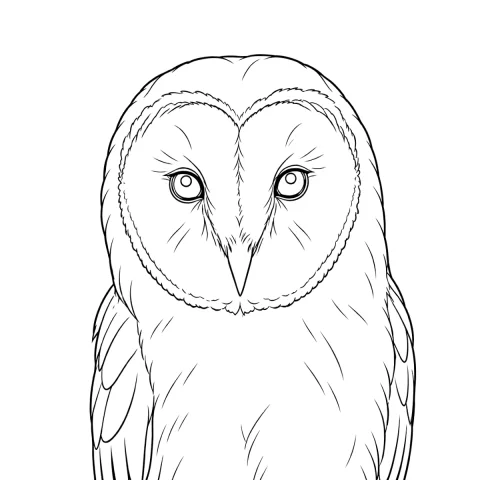
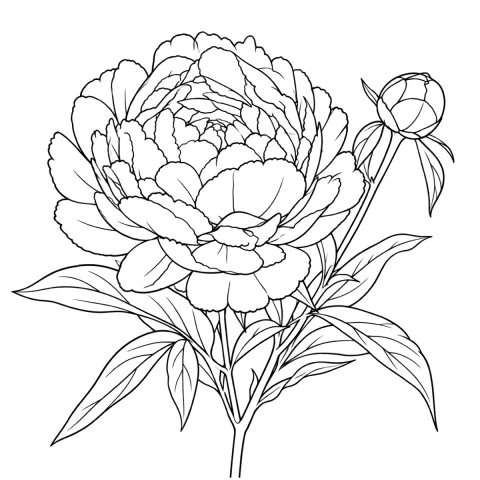
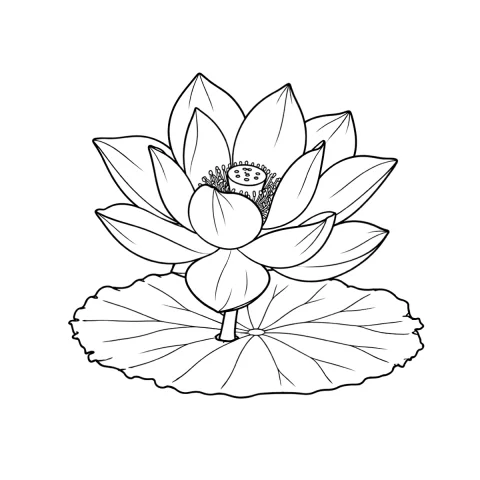
Free stencils to start this style from





Frequently asked questions
How far apart should the dots be in a dotwork stencil?
Between 0.8 mm and 1.5 mm center to center, measured on the printed sheet at final size. That range matches what a 3-round liner can actually place as separate marks. Anything under 0.8 mm merges during transfer, and anything over about 3 mm stops reading as tone and starts reading as a pattern.
Why does my dotwork stencil turn into a gray smudge on skin?
Almost always density. Transfer solutions spread pigment slightly as the paper is pressed, so dots that nearly touch on paper will touch on skin. Reduce Intensity and Detail, reprint at the same size, and confirm you can count individual dots from normal working distance before you transfer.
Can I use Tonal mode for a stippled design instead?
You can, but it adds a translation step. Tonal draws a shadow map — a dotted boundary line where each shadow level begins and hatching over the darkest — which you then have to convert into dot density in your head at the machine. Dotwork mode does that conversion in advance, so the stencil is already expressed in the unit you will be working in.
Does the stencil need to show every individual dot?
No, and expecting it to is the most common mistake. Skin stretches under the tube and no one lands a needle on a specific 0.9 mm mark. Read the stencil as a map of density zones and boundaries; the dots inside each zone are a guide to how packed it should be, not a placement plan.
How does a dotwork tattoo age compared with line shading?
Individual dots spread as ink migrates, so over ten to fifteen years an open field softens toward even gray and a dense field closes toward solid black. Plan for that drift: keep light zones lighter than looks right on day one, and stop the darkest zone short of solid unless you want it solid later.