
Portrait Tattoo Stencil From a Photo: Source, Modes and Size
Direct answer
To make a portrait tattoo stencil from a photo, start with a sharp, unfiltered face lit from one side, with at least about 1000 px from hairline to chin after cropping. Map the eyes, nose, mouth and jaw plus the edges of the main shadow shapes in black and white, because grey shading does not transfer, and plan the face itself at roughly 8–10 cm (3–4 in) or larger so the eyes can hold separate lines. InkLine's Tonal mode draws that shadow map as dotted level lines and hatching.
Photo to stencil, on an example
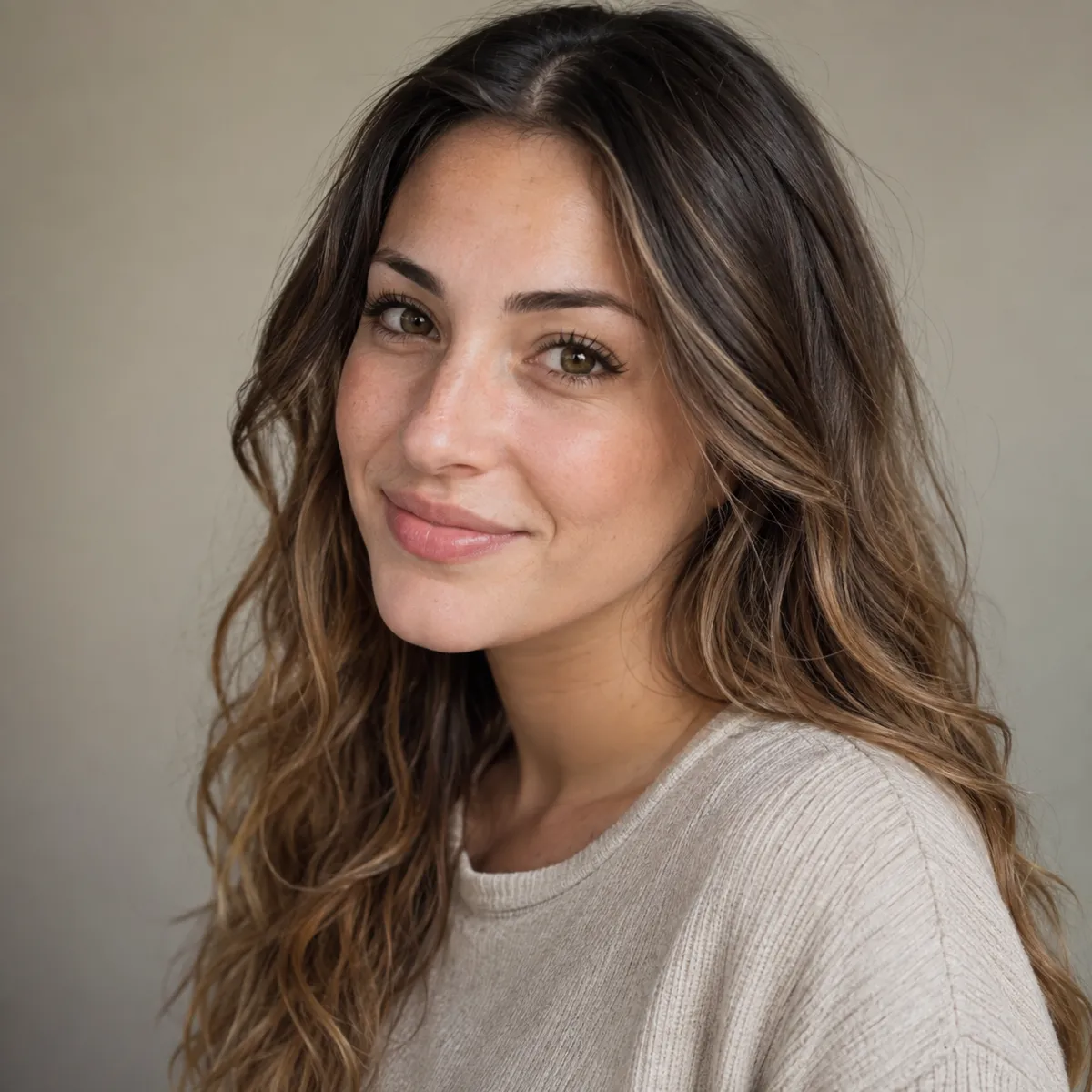
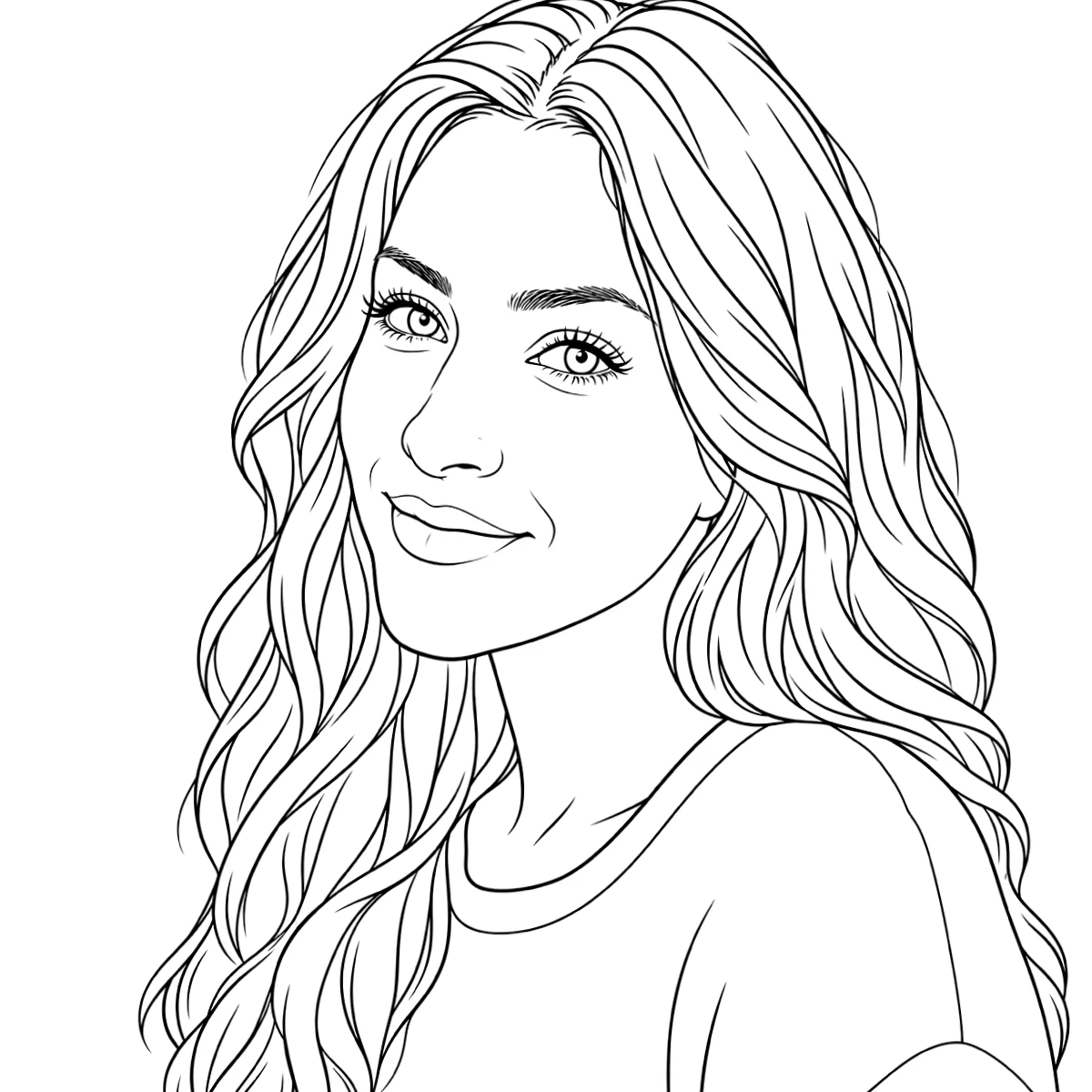
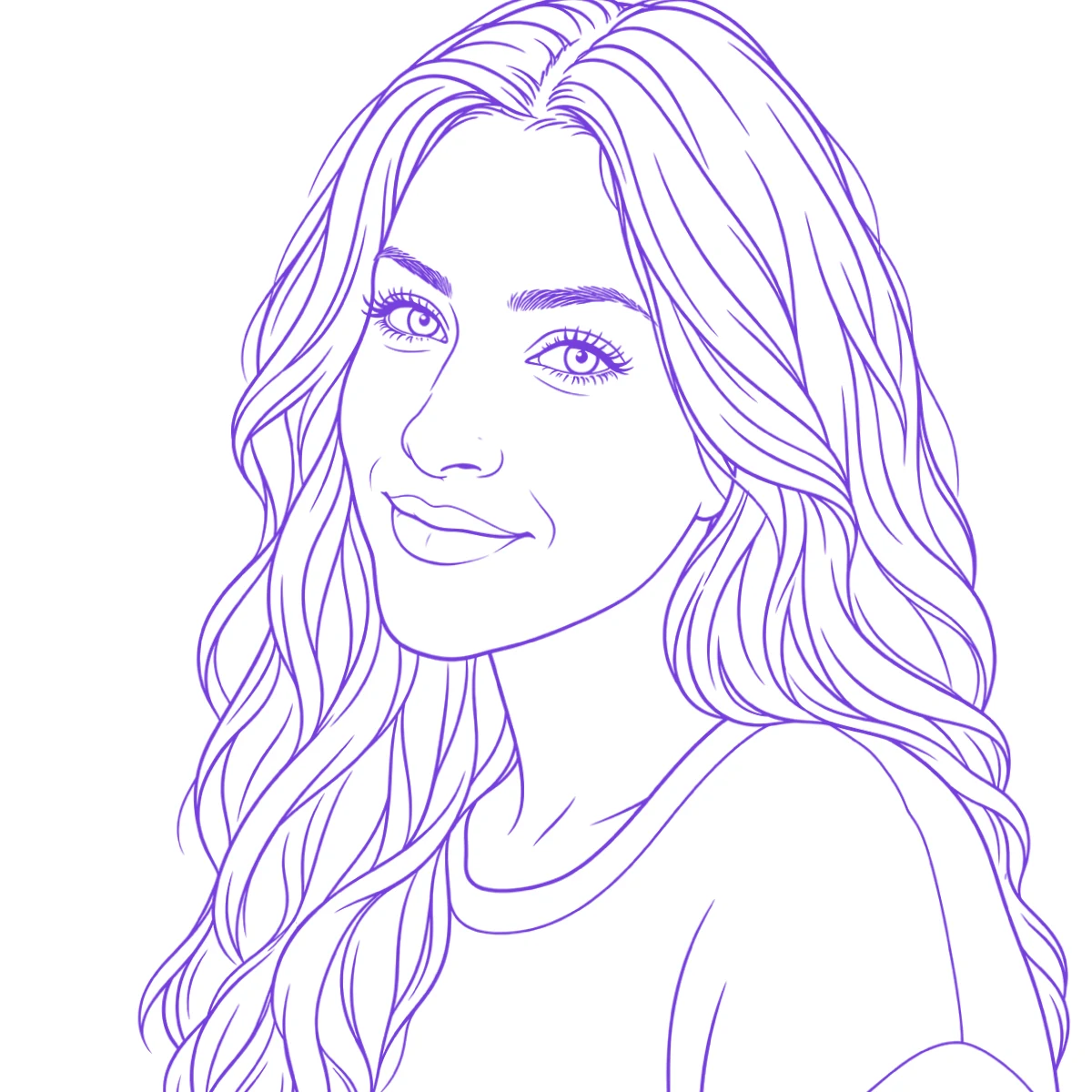
The reference photo and this stencil are AI-generated examples made for this library — not a client photo, and not InkLine output.
A portrait stencil fails in a way no other stencil does: it can be clean, well printed and perfectly transferred and still look like the wrong person. Likeness lives in a handful of millimeters around the eyes and mouth, so the job is less about converting a photo than about deciding which few marks must be exact and which can be approximate. This guide covers the source photo, what the stencil should carry, which conversion to run, how big to go and where the method stops working.
What a usable portrait source looks like
Most portrait stencils are decided before any software opens. Check the photo against five things:
| Check | What you want | What fails |
|---|---|---|
| Face size | About 1000 px or more from hairline to chin after cropping; more for a large piece | A face of 200–400 px from a group shot or a cropped social post |
| Light | Directional light from one side, so the nose, cheekbone and jaw cast real shadows | Flat front light, ring lights and on-camera flash, which erase the shadow shapes |
| Focus | Sharp eyes: the lash line and the edge of the iris visible at 100 percent zoom | Focus on the ear or hair, motion blur, a soft phone portrait mode edge cutting through the face |
| Processing | The original camera file | Beauty filters and skin smoothing, which flatten exactly the mid-tones that model a cheek |
| Angle | Front or three-quarter view, head not tilted far | Strong upward or downward angles that foreshorten the nose and chin |
Face size matters more than the camera’s megapixel count. A 12 MP photo where the face fills a tenth of the frame gives you a face only a few hundred pixels tall once you crop to it. At around 300 px per inch, 1000 px from hairline to chin supports a face of roughly 8.5 cm (3.3 in) on the stencil; a larger face wants proportionally more. Photo resolution for tattoo stencils has the arithmetic for checking a file before you promise a size.
Ask for the original rather than a copy sent through a messaging app, which usually recompresses the image. When the client only has a small or soft photo, the low-resolution client photo situation walks through what to ask for and when to start redrawing instead.
What the stencil carries, and what you shade freehand
A portrait stencil is two layers on one sheet. The first is a small set of landmarks that must be accurate. The second is a map of where the shadows begin, which only has to be roughly right because you will re-find those edges with the machine anyway.
Carry exactly: the pupils, the inner and outer eye corners, the upper lid line, the nostril base and the edge of each nostril, the mouth corners and the line where the lips meet, the jaw edge and the hairline. Two millimeters of drift in the distance between the pupils, or a mouth corner set slightly low, changes the expression and often the identity.
Carry approximately: the boundaries of the main shadow masses, under the brow, beside the nose, under the cheekbone, below the lower lip and under the chin, plus closed areas marking highlights to protect, such as the catchlight in each eye and the tip of the nose.
Leave for freehand: the gradients inside each shadow, skin texture, individual hairs and lashes beyond a few guide strokes, and the soft transitions across the forehead and cheeks. These are built from the photo during the session, not traced.
Just as important is what to remove. A ring around the iris, a line around the lips or a contour around the whole head is a hard edge that does not exist in the finished portrait, and every one of them has to be worked over and blended away later. The realism tattoo stencil page goes deeper on how this value map ages and why it needs wider value gaps than look right on paper.
Which stencil mode to run on a face
InkLine processes a photo into a stencil locally on the device in six modes. Four of them matter for portraits, in different roles.
- Tonal is the main pass. It produces a black-and-white shadow map: light outlines, a dotted line where each of two to four shadow levels begins, and hatching over the darkest areas, with no grey anywhere, because grey does not transfer to skin. Intensity decides how much of the face reads as shadow; raise it too far and the whole face goes dark and the hierarchy collapses. Erase any light outline that should not be there, such as the ring around the iris, before printing.
- Linework suits portraits drawn as line illustrations rather than shaded realism. On a photographic portrait it tends to give the coloring-book look, because it traces every contour and keeps near-black areas as solid fills.
- Sketch keeps a pencil look with grey shading. That grey prints pale and transfers faintly, so save it as a value reference to keep on screen beside you, not as the sheet you apply.
- Denoised runs Linework on a noise-reduced copy of the photo, useful when a low-light phone shot has grain that the other modes would turn into specks.
Each mode runs on the current image, so a second mode processes the first mode’s output rather than the photo. To get both a Tonal sheet and a Sketch reference, step back to the photo on the timeline before the second pass. Detail is best set middle-high: at the maximum, pore texture and sensor noise start appearing as marks. Which stencil mode for which design compares all six.
Then thin the result down to the landmarks and shadow edges listed above. With an Apple Pencil on an iPad, the photo guide in InkLine’s Edit screen places the original photo under the stencil at an opacity you choose, so you can move a mouth corner or redraw a lid line against the source rather than by eye. The photo underneath is never printed or exported.
Sizing a portrait so it holds
Faces need room. As a working rule, plan the face itself, hairline to chin, at about 8–10 cm (3–4 in) or more for a recognizable likeness, which usually means a print of 16 cm (6 in) or taller once hair and shoulders are included. Below that, the eye cannot hold the lid line, the iris and the highlight as separate marks, and the lines close up as the tattoo heals and ages. If space is tight, crop tighter to the face rather than shrinking the whole composition. These are rules of thumb, not limits: the artist, the needle groupings and the skin all move the real number.
Check proportions at true size before transfer. Print the stencil at its final size with the printer’s scale-to-fit option off, print the photo at the same size, and compare three distances on both: pupil to pupil, pupil to the mouth corner below it, and outer eye corner to the jaw. If any is off by more than about two percent, fix it now. Flipping the stencil horizontally for a moment also makes asymmetry you have stopped seeing obvious. In InkLine you type the stencil’s width or height in centimeters or inches, and each sheet carries a 5 cm check ruler to confirm nothing rescaled the print.
Consent and ownership
A portrait is a picture of a real person. If the face belongs to someone other than the client, make sure that person agrees to being tattooed; for a family member who has died, the family’s photo and the family’s agreement are the usual basis. Ownership is a separate question: a studio or event photographer owns the copyright in their image, so ask the client for a photo they took themselves or have permission to use.
Where this method stops working
- Small faces in group photos. Cropping a face that is a few hundred pixels tall leaves too little to convert. You are redrawing from the photo, not extracting.
- Upscaling adds pixels, not detail. InkLine’s optional 2x upscale on import is local resampling. It smooths line edges at print size but cannot recover an eyelid the camera never resolved.
- AI steps cost credits and can change the face. The x4 AI upscale and AI Refine each use a credit and need a network connection. Because they infer detail rather than recover it, compare any refined face against the original before you build a stencil on it.
- No mode delivers likeness on its own. Every conversion is a literal reading of the photo; the landmark edit and the proportion check are what keep the face recognizable.
InkLine is a free download. The manual stencil workflow of processing, editing, print layout and export is free up to an allowance on how many images you carry through it, and needs a subscription past that allowance; AI generation runs on a credit system.
Frequently asked questions
How big does a portrait tattoo need to be?
As a working rule, plan the face itself, hairline to chin, at about 8–10 cm (3–4 in) or more. Below that the eyes cannot hold the lid, iris and highlight as separate lines, and likeness is the first thing to go.
Can you make a portrait stencil from a group photo?
Only if the face is large in the frame. A face in a group shot is often a few hundred pixels tall, and cropping it leaves too little to convert; you will be redrawing it by hand from the photo rather than converting it.
Which stencil mode works best for a face?
Tonal for black-and-grey portraits, because it maps the shadows as dotted level lines and hatching in black, which transfers. Linework or Outline on a face tends to produce a coloring-book look, and Sketch keeps grey shading that transfers faintly, so use it as an on-screen reference.
Should a portrait stencil include all the shading?
No. Transfer the landmarks and the edges of the major shadow shapes, and shade freehand from the photo. Detailed hatching on a stencil wipes off early in a long session anyway.
Can AI improve a blurry face photo for a stencil?
An AI step can make a soft photo look sharper, but it invents the detail it adds, and on a face that can change the likeness. Check any AI-refined result against the original photo before you build a stencil on it.